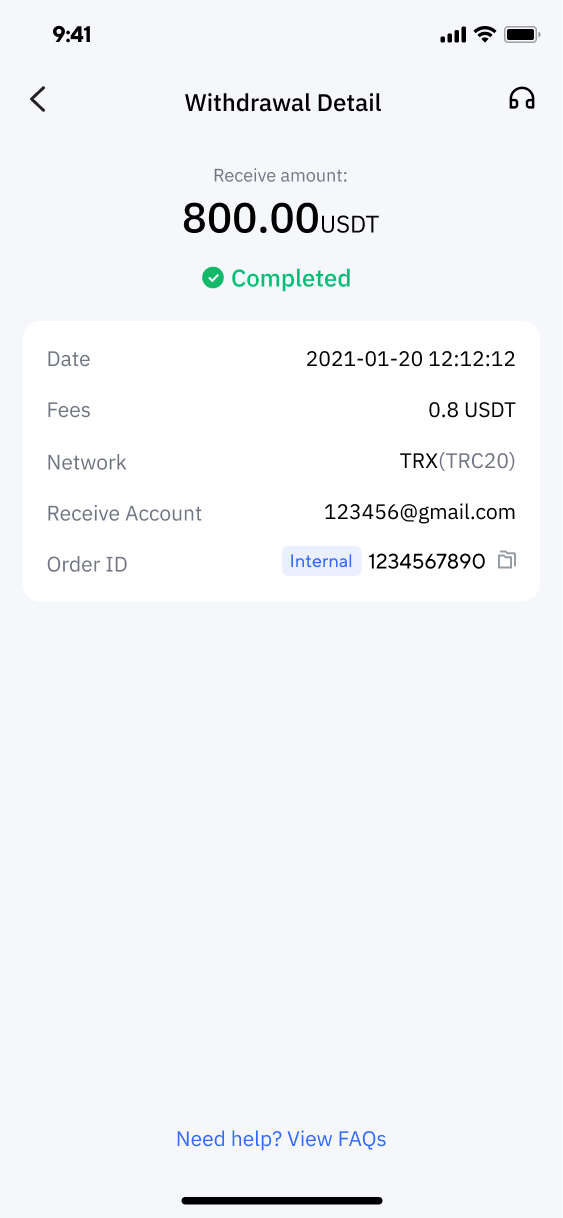

1. Deposit Cryptocurrency
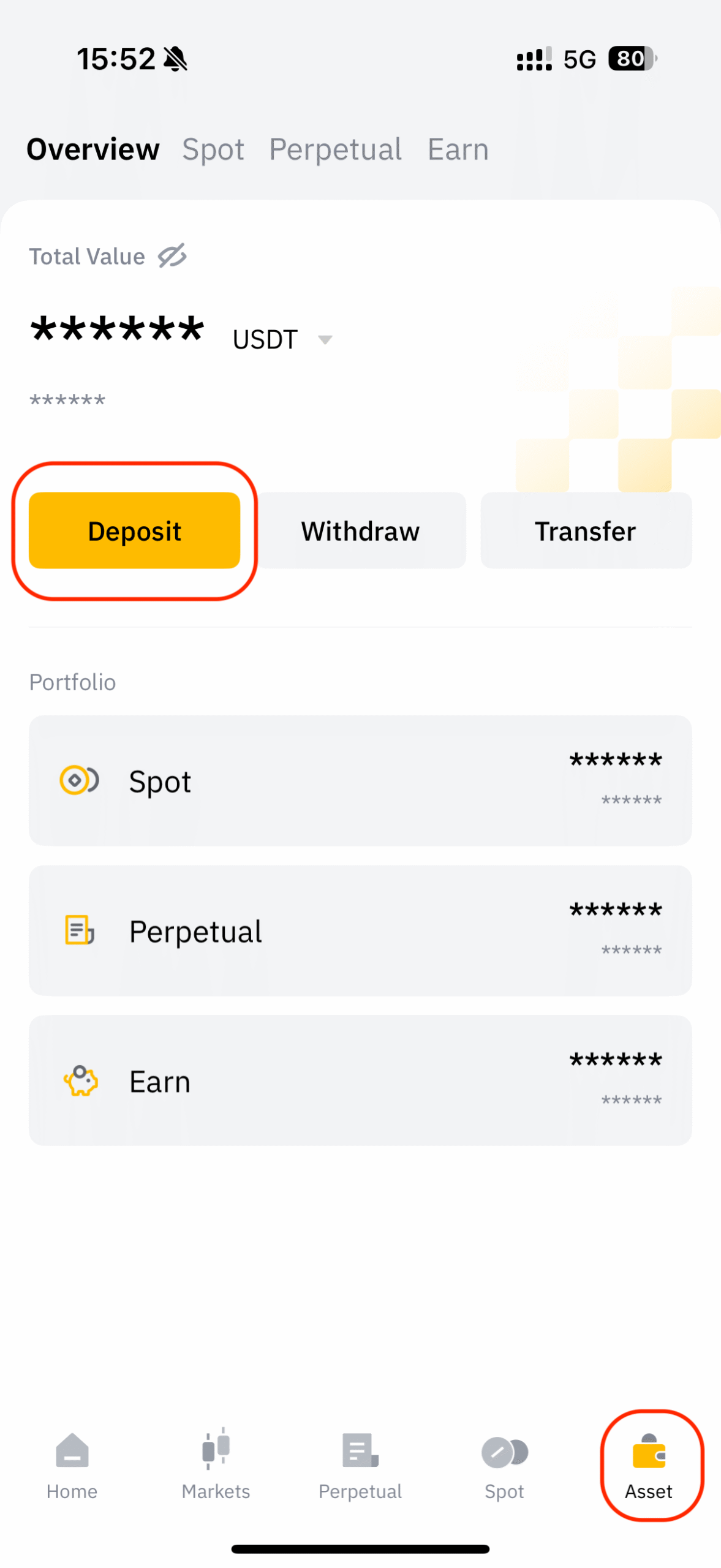
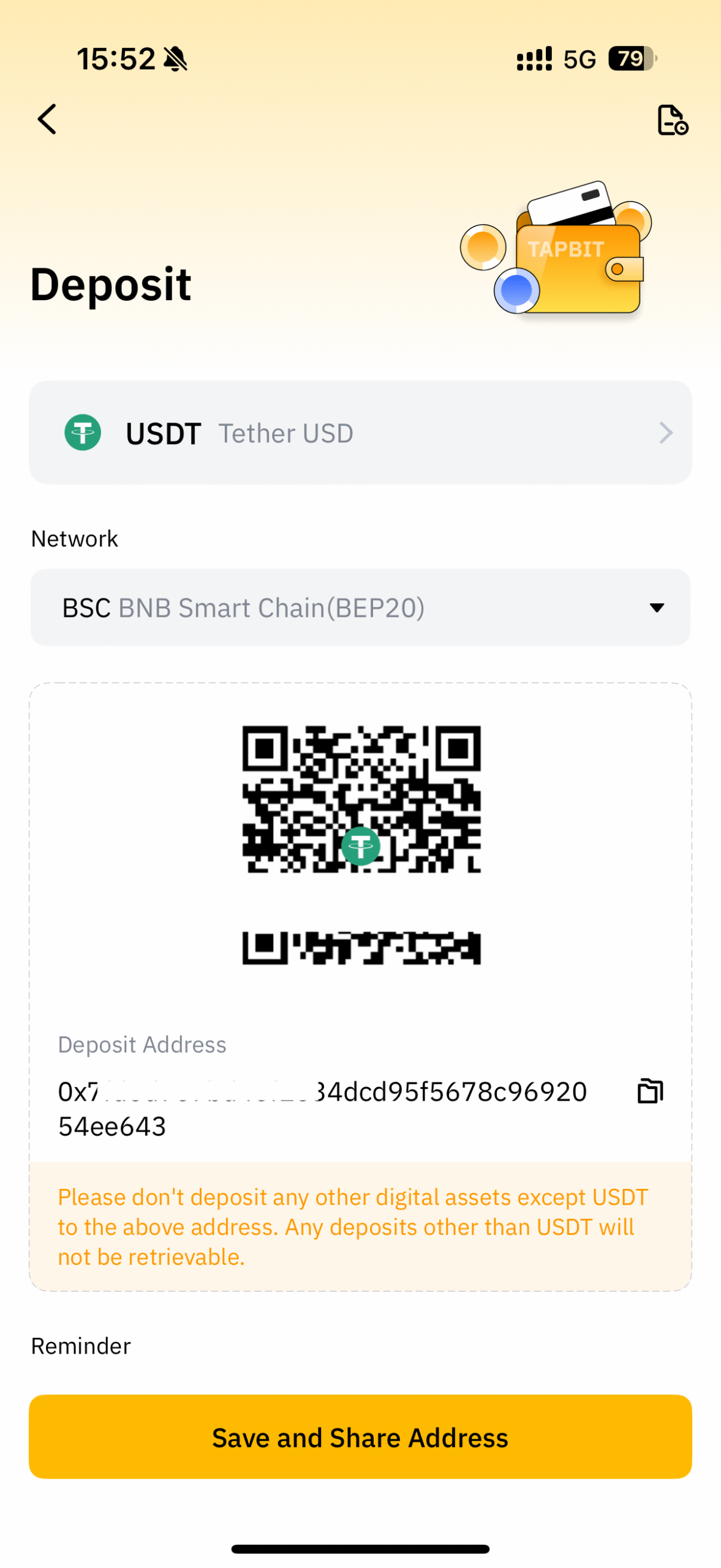
1.1 Open the app, click “Asset” in the lower right corner to enter the asset page, and select [Deposit].
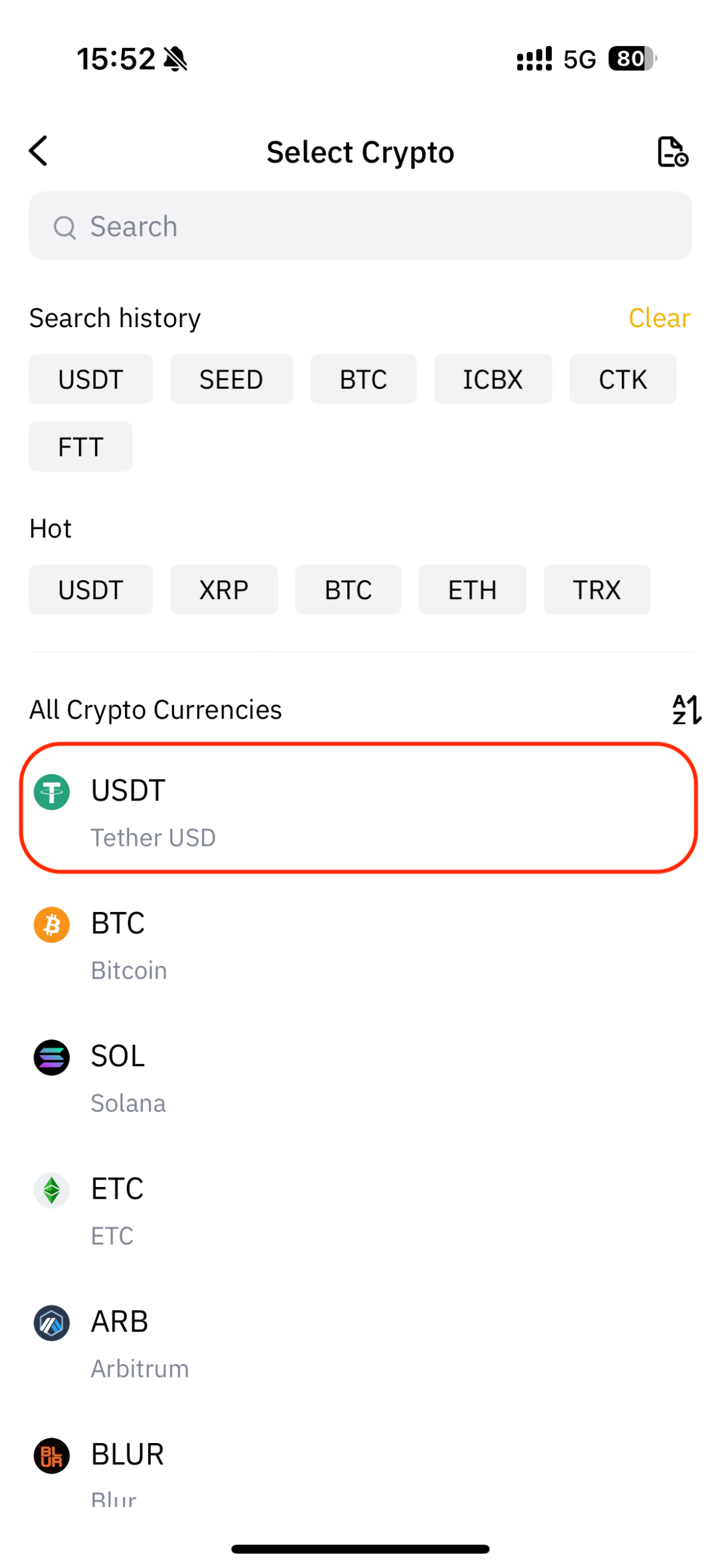
1.2 Select a token, such as USDT.
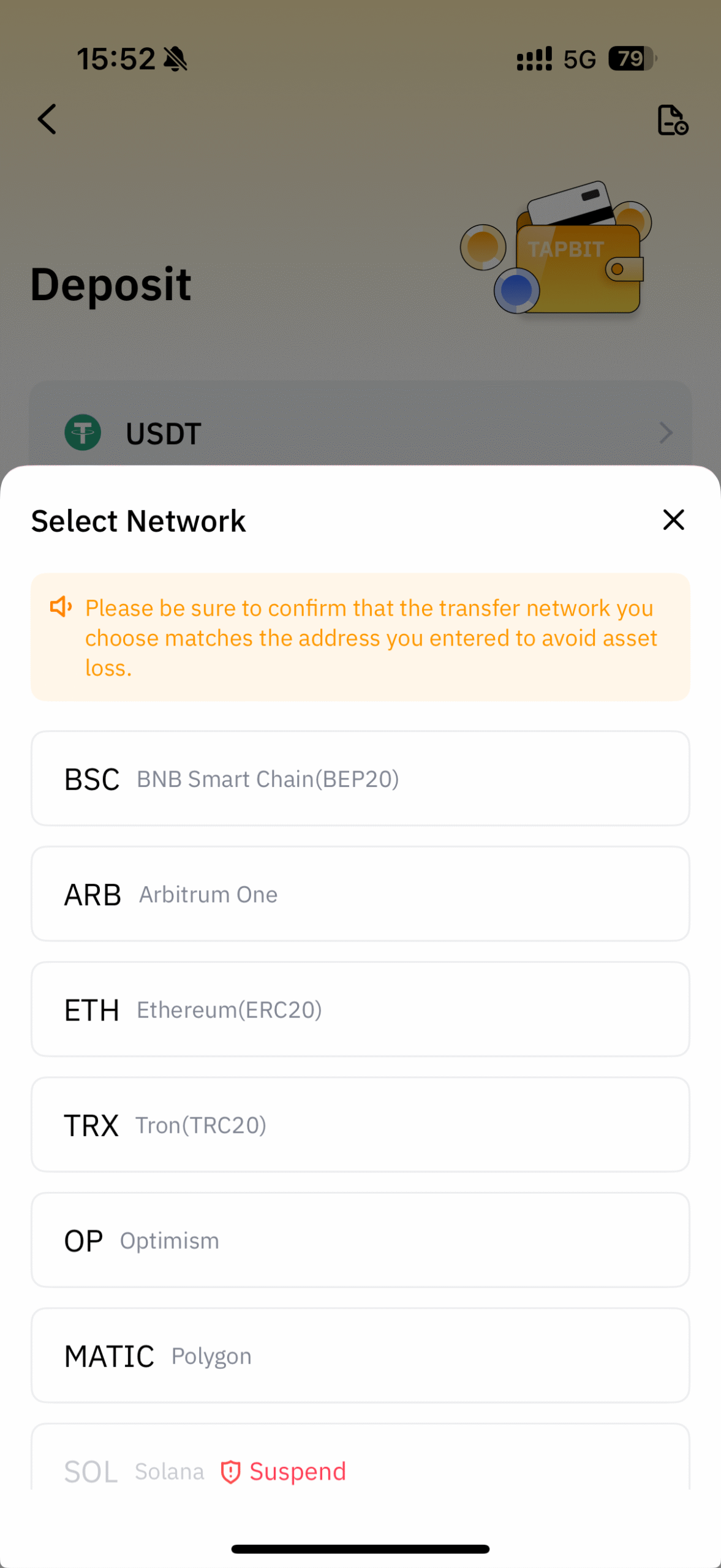
1.3 After reading the tips, select the Network and click Deposit Address to generate an address. Copy the deposit address or scan the QR code to the platform where you withdraw, and then deposit to Tapbit.
2. Withdrawal of Cryptocurrency
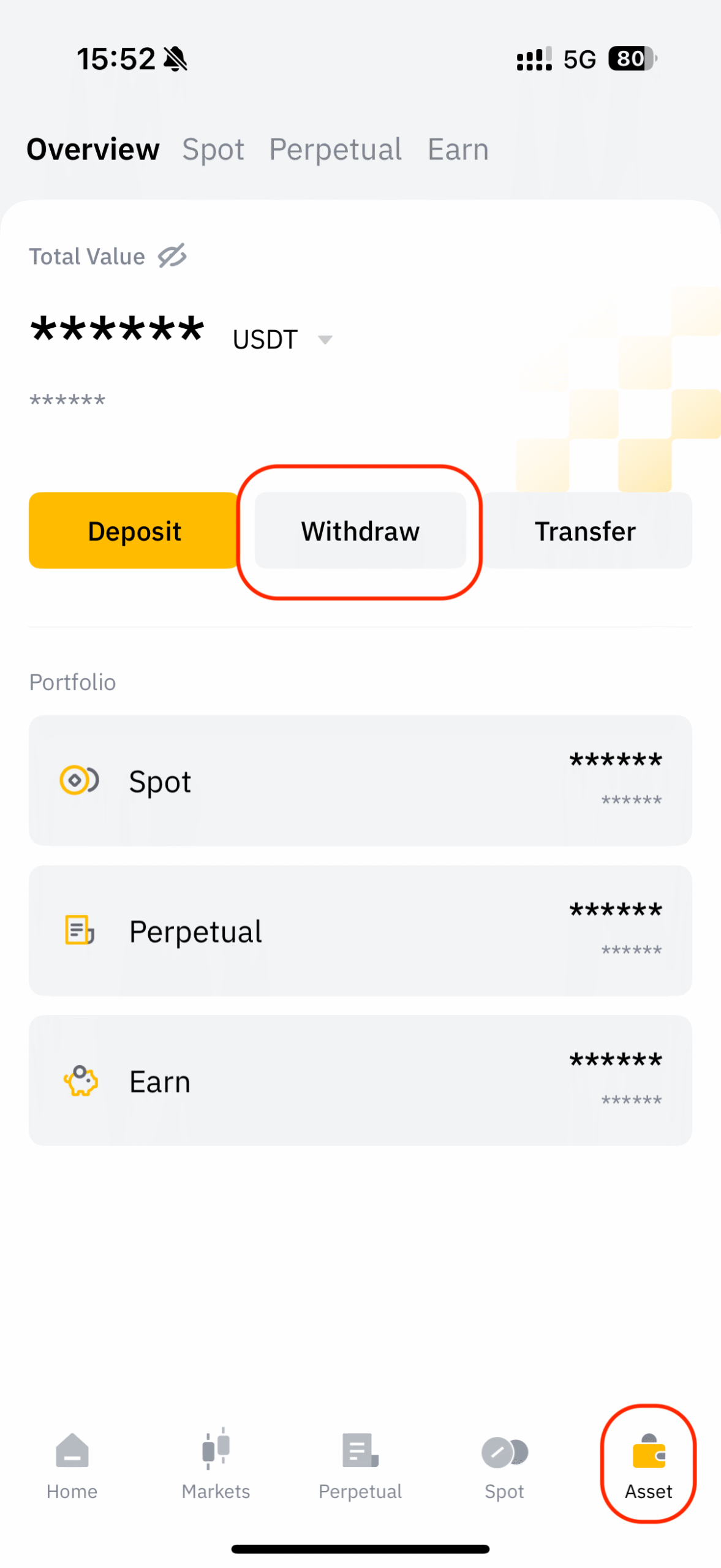
2.1 Open the app, click Asset in the lower right corner to enter the asset page, and select Withdraw.
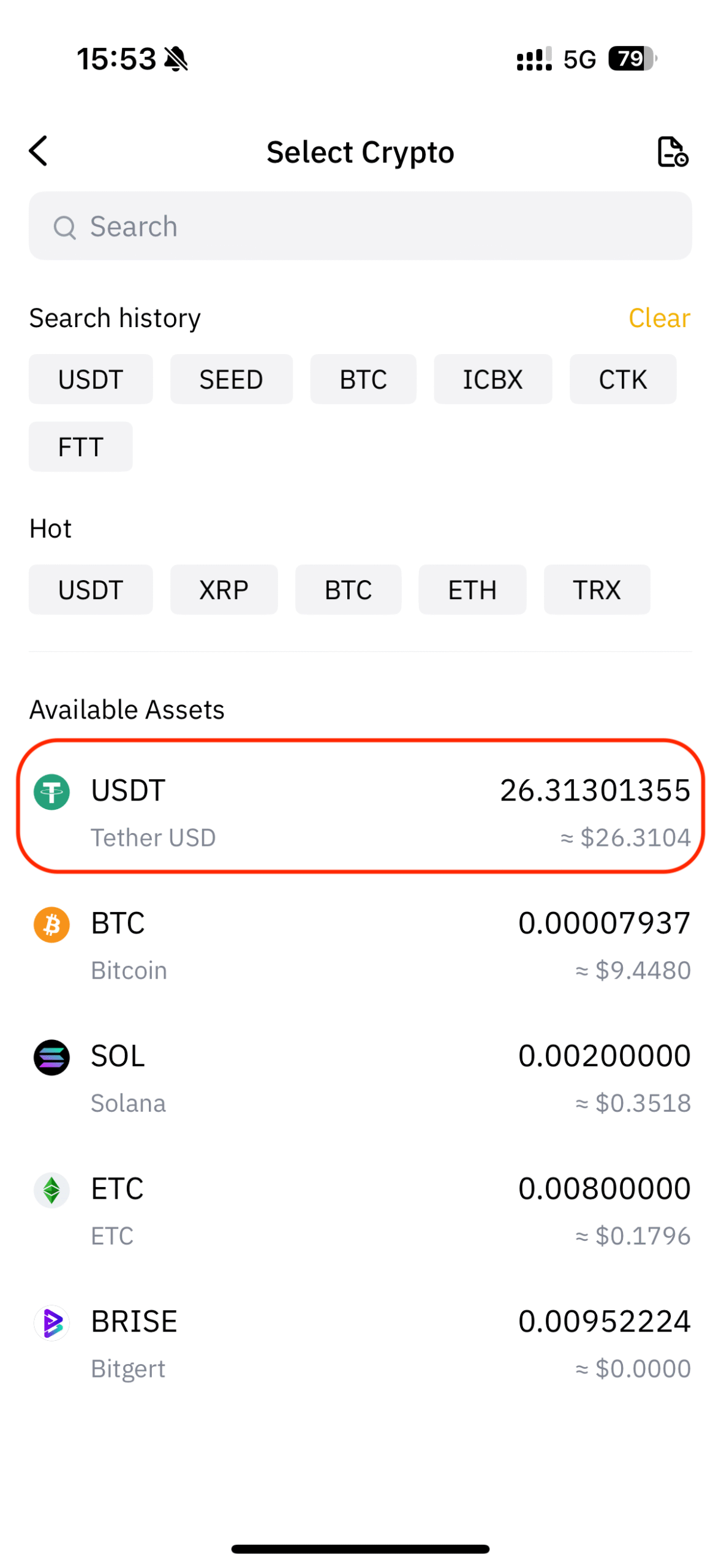
2.2 Select a token and withdrawal method, such as USDT.
2.3 Select withdrawal method
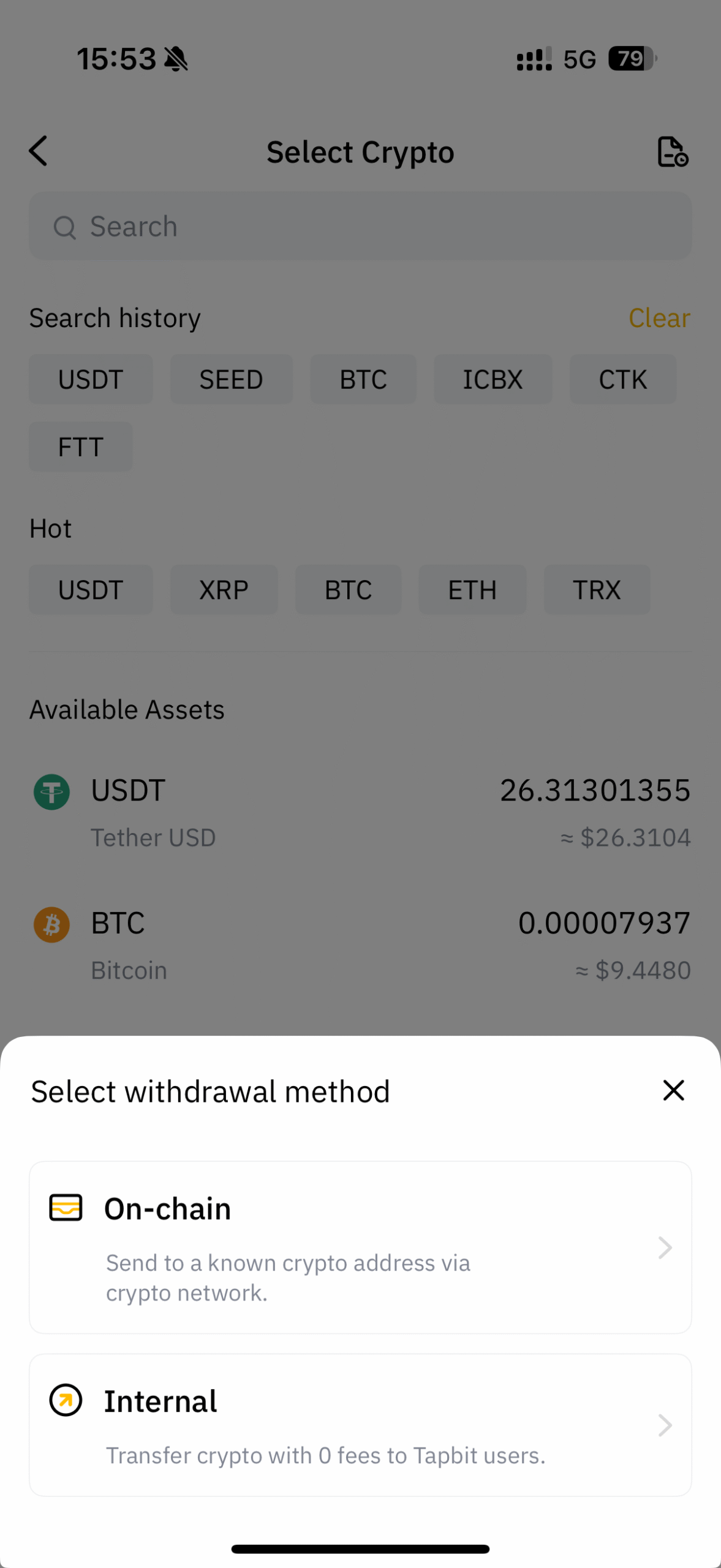
2.3.1 On-chain
Fill out the relevant information to complete the withdrawal of tokens.
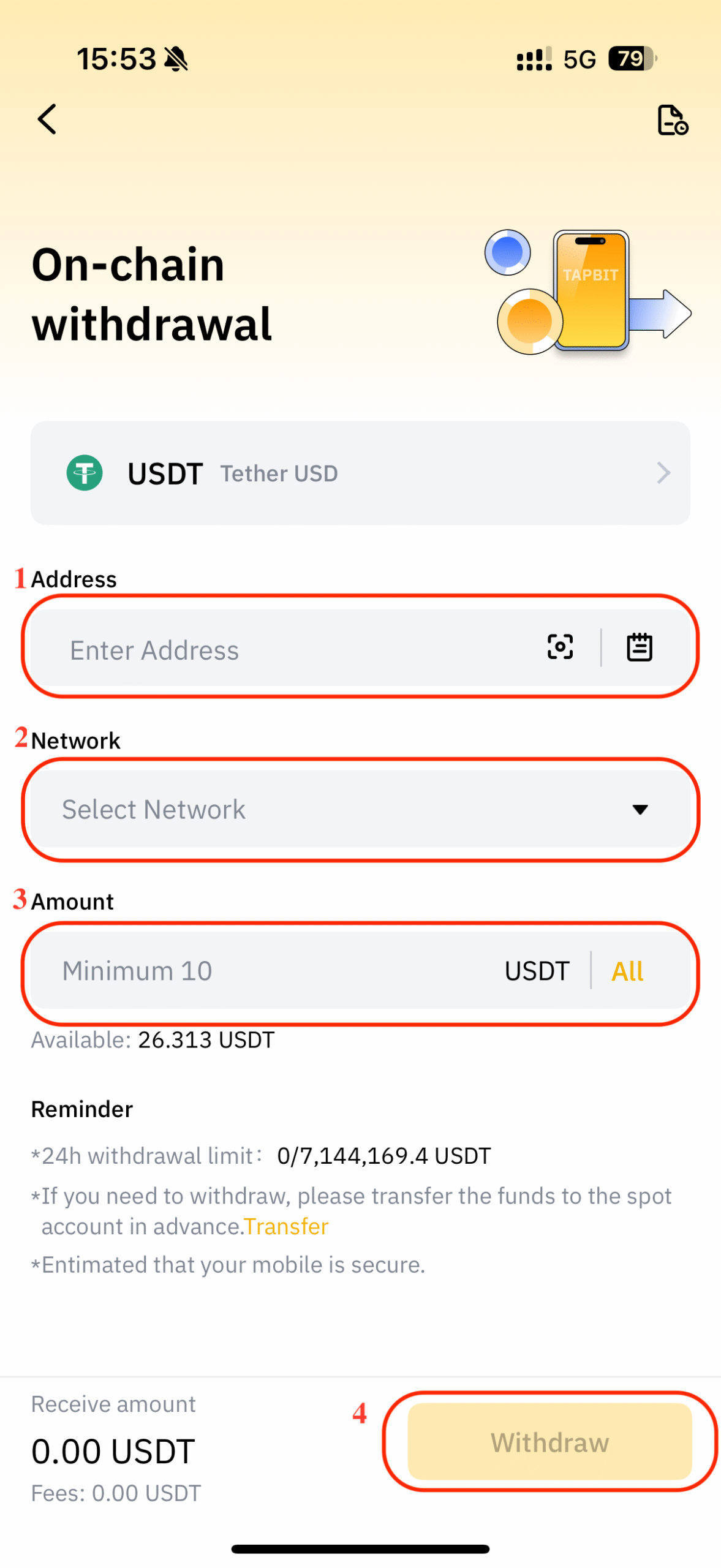
2.3.2 Internal
Select the Account Type: Email, Phone number, or UID.
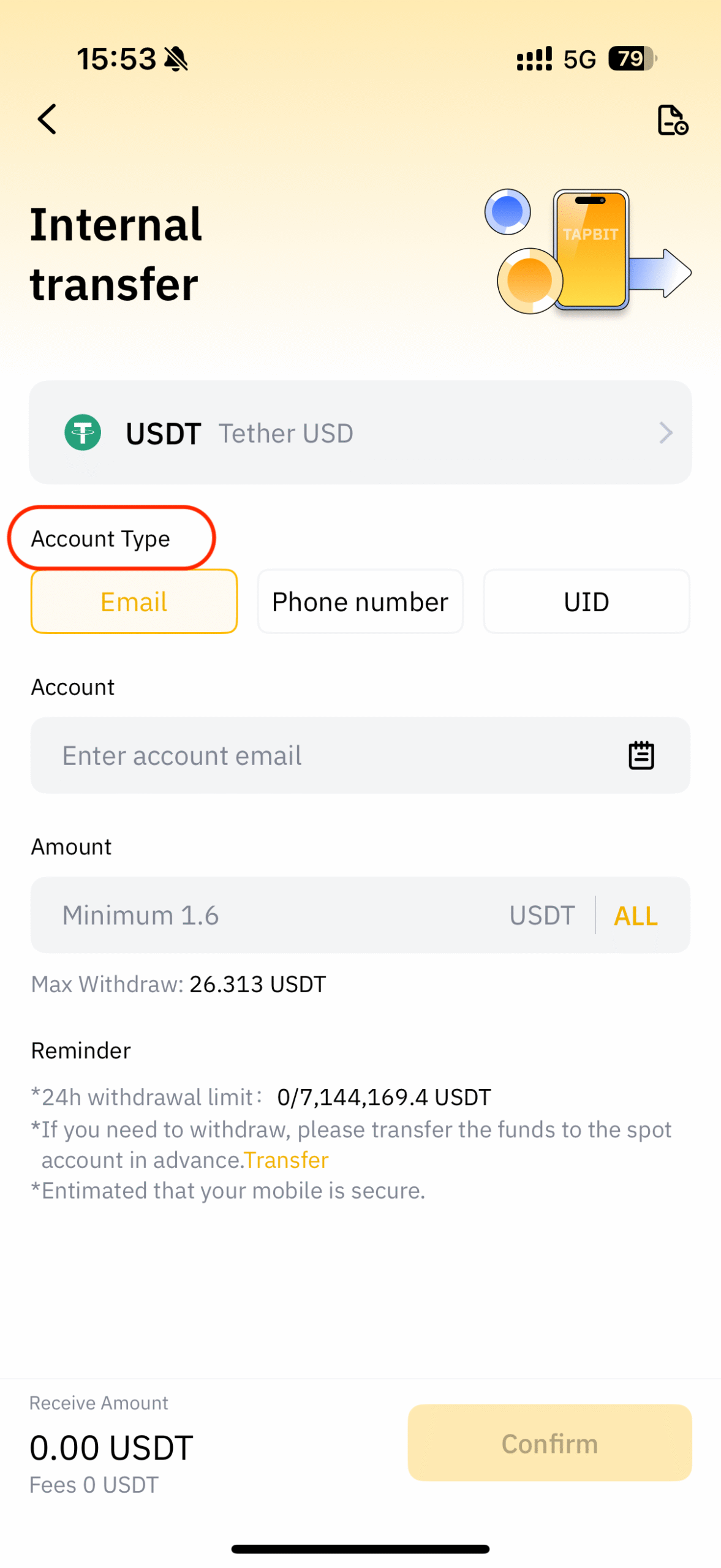
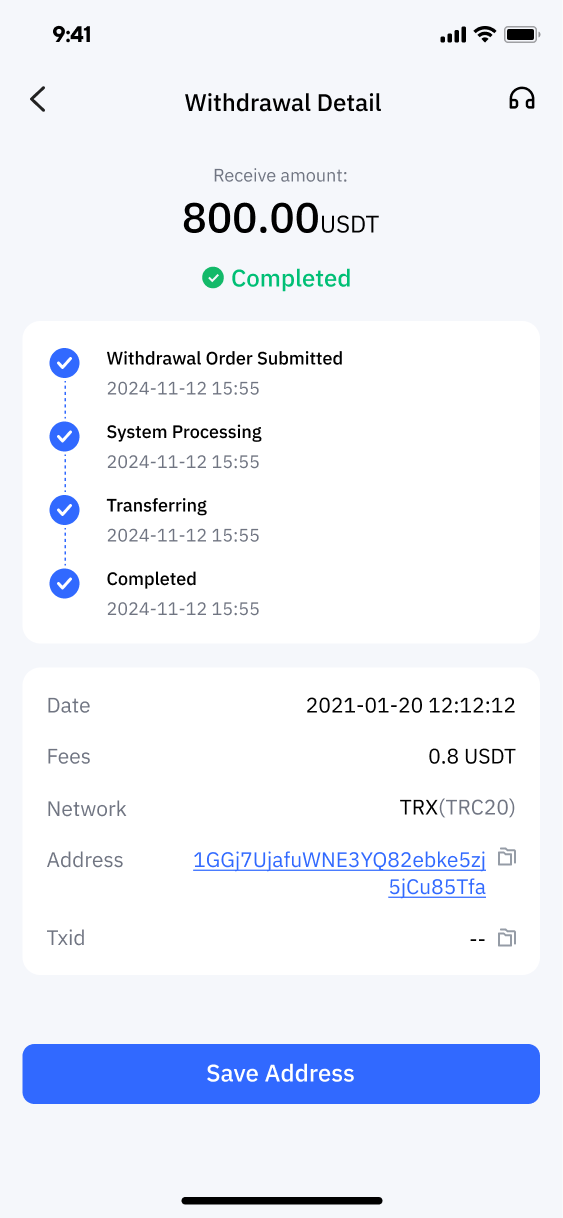
2.4 Check all information and click Withdraw.
2.4.1 On-chain
2.4.2 Internal