
If you’ve been in the crypto markets long enough, you know the anxiety of moving funds for the first time. You triple-check the address, hit send, and hold your breath until the confirmation hits.
By 2026, Dogecoin (DOGE) has completely shed its original "joke" status. It's a multi-billion-dollar liquidity hub. The Dogecoin network now hosts its own on-chain assets (like DRC-20 Doginals), and the token itself is heavily traded on regulated derivatives platforms worldwide.
Because DOGE has grown up, how you store it needs to grow up, too. At Tapbit, we see traders make the same storage mistakes every cycle—usually oscillating between leaving everything on a sketchy, unregulated exchange or locking themselves out of their own cold storage.
If you want to secure your DOGE without locking yourself out of the market, you need the right setup. Here is our desk’s unvarnished guide to the best Dogecoin wallets available today, the difference between them, and how to build a bulletproof storage strategy.
The One Rule That Matters: Who Holds the Keys?
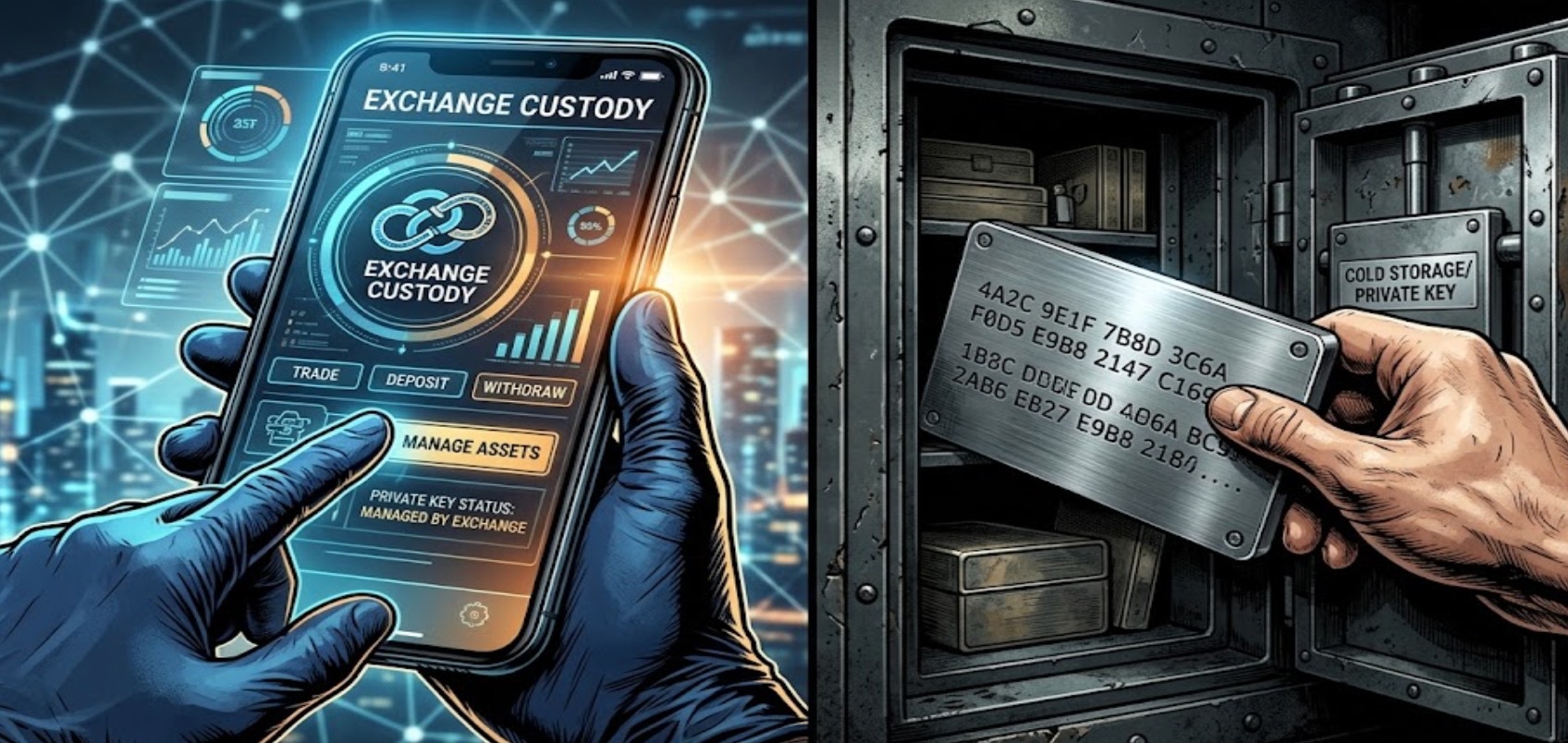
Before we look at specific apps, we need to clear up a common misunderstanding. A crypto wallet doesn’t actually store your Dogecoin. Your DOGE lives permanently on the blockchain. The wallet simply holds the cryptographic keys that prove you own it and give you the right to move it.
When choosing a setup, you are essentially making a choice about custody:
-
Custodial Wallets (Exchange Wallets): You trust a platform to hold the private keys for you.
-
The Reality: This is incredibly convenient. If you forget your password, customer support can reset it. You can instantly trade your DOGE for USDT or use it as margin. But, you are trusting the exchange's security team to keep hackers out and manage their reserves honestly.
-
Non-Custodial (Self-Custody) Wallets: You hold the private keys yourself, usually in the form of a 12- or 24-word "seed phrase."
-
The Reality: This gives you absolute financial sovereignty. No one can freeze your account. But there is zero safety net. If you lose that piece of paper with your 12 words, or if someone finds it, your DOGE is gone forever. Customer support cannot save you.
The 2026 Wallet Landscape: What Are Your Options?
The market has segmented based on what users actually do with their DOGE. Here is how the top options stack up in real-world usage.
1. Hardware Wallets (Ledger, Tangem)
-
The Vibe: The digital vault.
-
Best For: Long-term holders with significant capital.
-
Our Take: If you are buying a massive bag of DOGE and don't plan to sell it until 2030, buy a physical hardware wallet. Devices like Ledger Nano or the newer, card-based Tangem wallets keep your private keys completely offline. However, they are slow and clunky if you are trying to catch a sudden 20% price spike and need to move funds to an exchange quickly.
2. Community Mobile Apps (MyDoge)
-
The Vibe: The social tipping jar.
-
Best For: DOGE maximalists and tipping creators.
-
Our Take: MyDoge is a great non-custodial mobile app if you only care about Dogecoin. It has built-in social features and makes sending 50 DOGE to a friend as easy as Venmo. The downside? It’s a single-chain wallet. If you also trade Bitcoin, Solana, or stablecoins, you’ll have to juggle multiple apps.
3. The Hybrid Ecosystem (Tapbit)
-
The Vibe: The trader’s command center.
-
Best For: Users who need deep liquidity, multi-chain access, and the option for both self-custody and active trading.
-
Our Take: The reality of 2026 is that crypto users want to do everything in one place. They want to hold spot DOGE, interact with Web3 networks, and maybe trade derivatives. Tapbit bridges this gap by offering two environments in one app:
-
Tapbit Exchange (Custodial): Highly secured, backed by 1:1 transparent Proof of Reserves (PoR), and perfect for active trading capital..
A Practitioner's Guide to Sending DOGE Safely
Even with the best wallet, user error is the number one cause of lost funds. Here are the hard rules our team follows when moving DOGE:
-
The Clipboard Check: There is malware out there that quietly replaces copied crypto addresses with the hacker's address. When you paste a Dogecoin address to send funds, manually verify the first four and last four characters match the original address perfectly.
-
The Network Check: Always make sure you are sending DOGE over the native Dogecoin network. Don't accidentally send it over the Binance Smart Chain (BEP-20) or Ethereum unless you specifically intend to use a wrapped version of the token.
-
The Test Transaction: If you are moving $10,000 worth of DOGE, never send it all at once. Send $5 first. Wait the minute for it to confirm on the blockchain and appear in the destination wallet. Once verified, send the rest.
Why Trusting Your Infrastructure Matters

Whether you are self-custodying in our Web3 wallet or leaving trading capital on the Tapbit exchange, the underlying infrastructure matters.
We don't ask users for blind trust; we prove it. Tapbit utilizes multi-signature cold storage for the vast majority of custodial funds, meaning no single employee or server can move your assets. Furthermore, we mandate strict Two-Factor Authentication (2FA) via Google Authenticator for all withdrawals and provide transparent Proof of Reserves, proving on-chain that your DOGE is sitting right where it should be.
If you respect the asset, respect how you store it. Get your keys organized, write down your backups, and register or log in to trade safely.
Frequently Asked Questions (FAQ)
What is Proof of Reserves (PoR) and why does it matter for DOGE holders?
Proof of Reserves is a cryptographic audit. It publicly proves that a crypto exchange holds the exact 1:1 amount of assets required to cover all user balances. If you hold 10,000 DOGE on the Tapbit custodial exchange, PoR proves we actually have those 10,000 DOGE in our secure reserves, ensuring we are fully solvent and never lending out your funds behind your back.
Are Dogecoin fees expensive when sending from a wallet?
No, the Dogecoin network is inherently designed for micro-transactions. Network fees are typically a fraction of a cent (usually around 0.01 to 1 DOGE depending on network congestion), making it drastically cheaper to move than Bitcoin or Ethereum.
I want to trade DOGE with leverage. Can I do that from a self-custody wallet?
Generally, no. Advanced derivative trading requires deep, centralized liquidity matching engines. If you want to trade DOGE futures or options, you will need to transfer your DOGE (or USDT) from your self-custody Web3 wallet into your Tapbit Exchange account to execute those specific trades.


