
Tapbit’s CopyTrade Feature is coming soon, for correct use, please read carefully the following as we describe the related process for followers, if you have any questions, please contact the online customer service.
[Asset account top-up]
First of all, please make sure that there is enough USDT available in your derivative account.
If the derivative account assets are insufficient, please use the transfer function to transfer the funds from the spot account to the derivative account.
After successfully topping up your derivative account, go to the home page and click on Ranking and select your preferred trader to follow.
[Followers copy trade process]
1) Select trader — view trader data — 2) following order settings — 3) view follow order position — 4) close position
1. Select trader
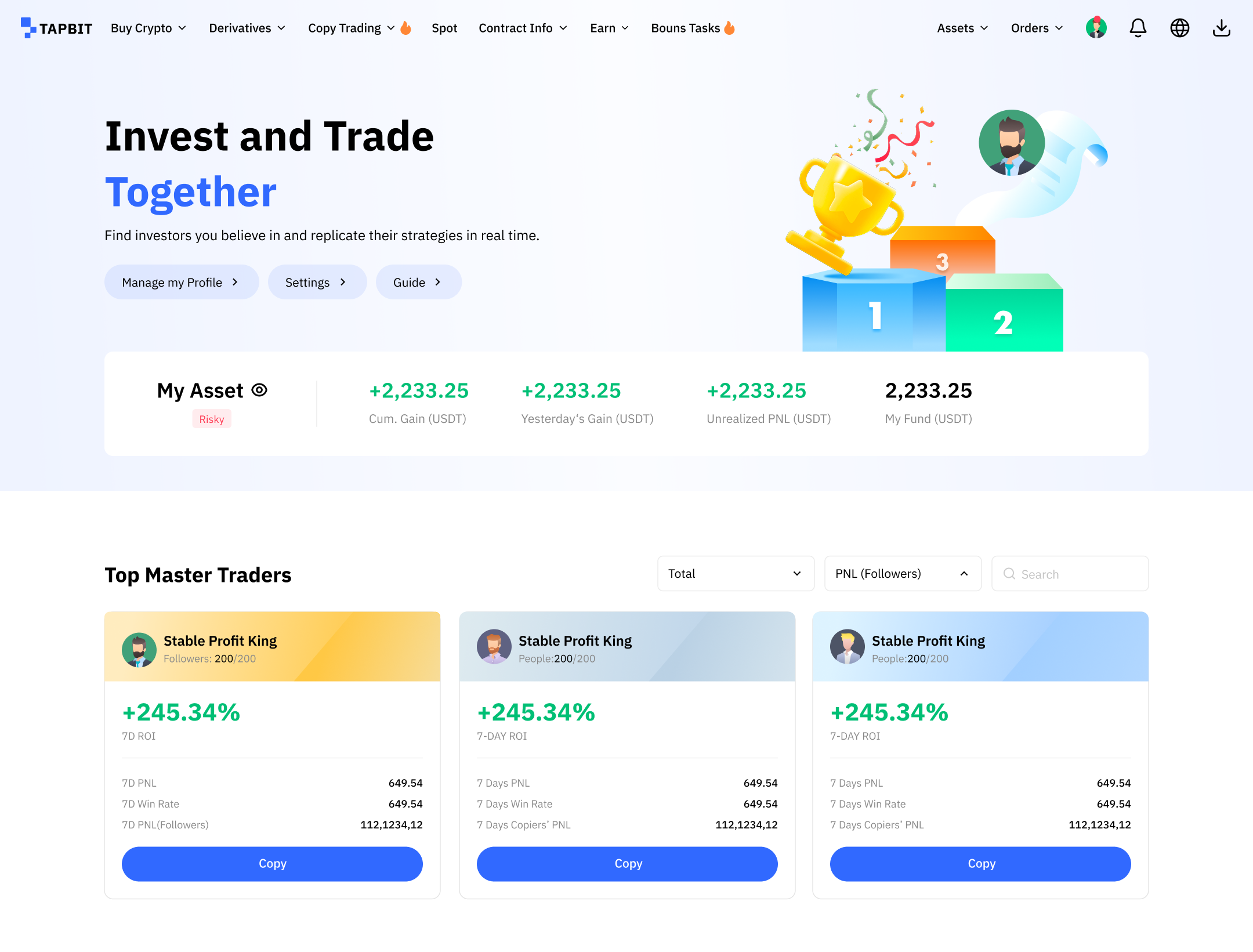
Followers can see the trader’s ranking into the home page list
* You can follow more than one trader
Description of the trader data display.
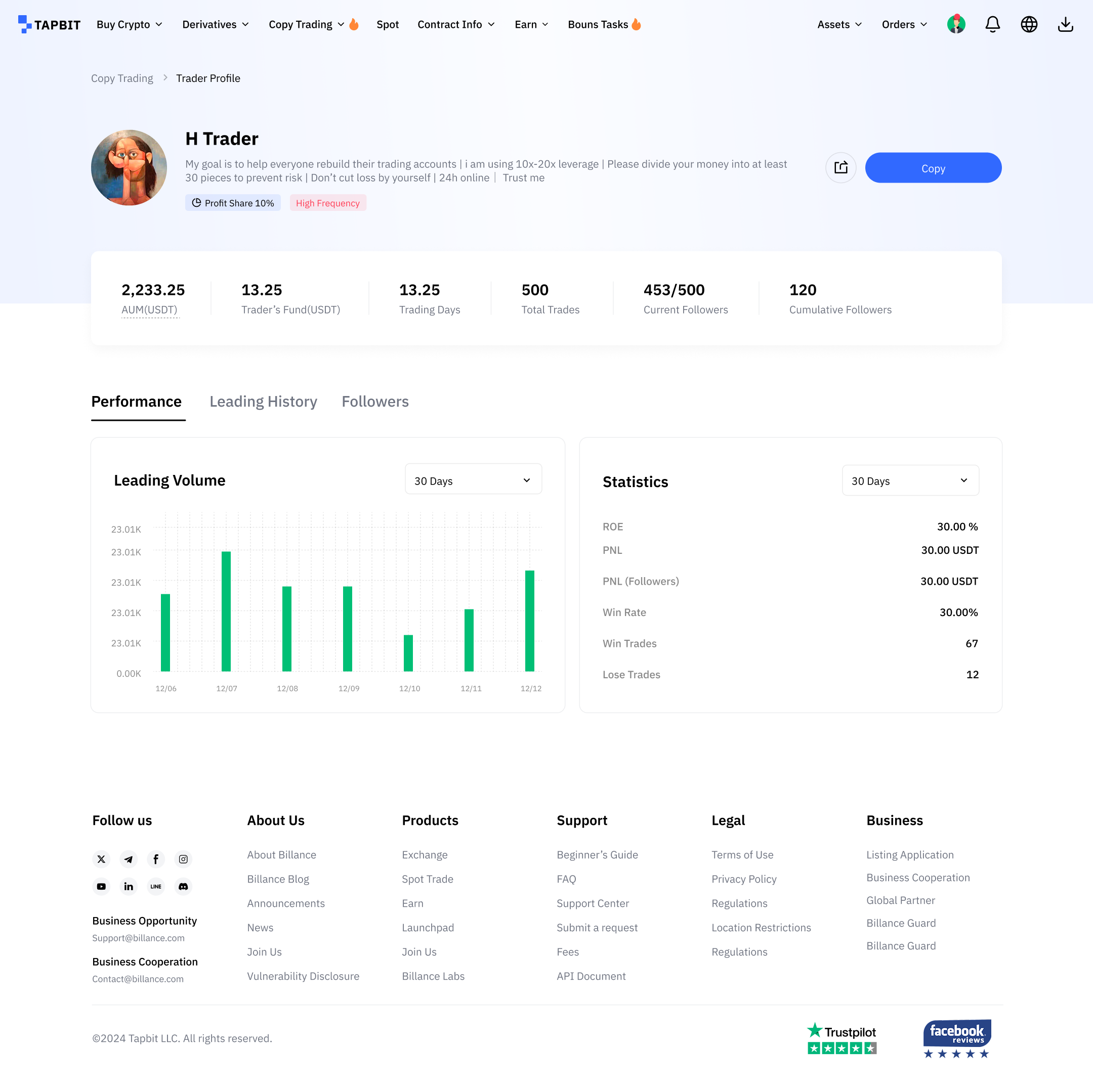
- AUM(USDT): The cumulative amount invested by all followers in 90 days.
- Trader’s Fund(USDT): Trader’s own capital currently used in copy trading.
- Trading Days: counted from the trader’s registration date to the current date.
- Total Trades: The number of closed orders (updated in real time)
- Current Followers: The number of users currently copying this trader’s strategies.
- Cumulative FollowersThe number of people who have followed the trader in history (updated in real-time)
2. Following order settings
Click on the trader to enter the trader’s home page, click on the lower right corner of the CopyTrade, enter the Copy Trade settings page.
* If the trader has already opened a position when following the order, the order will be followed from the trader’s next open position.
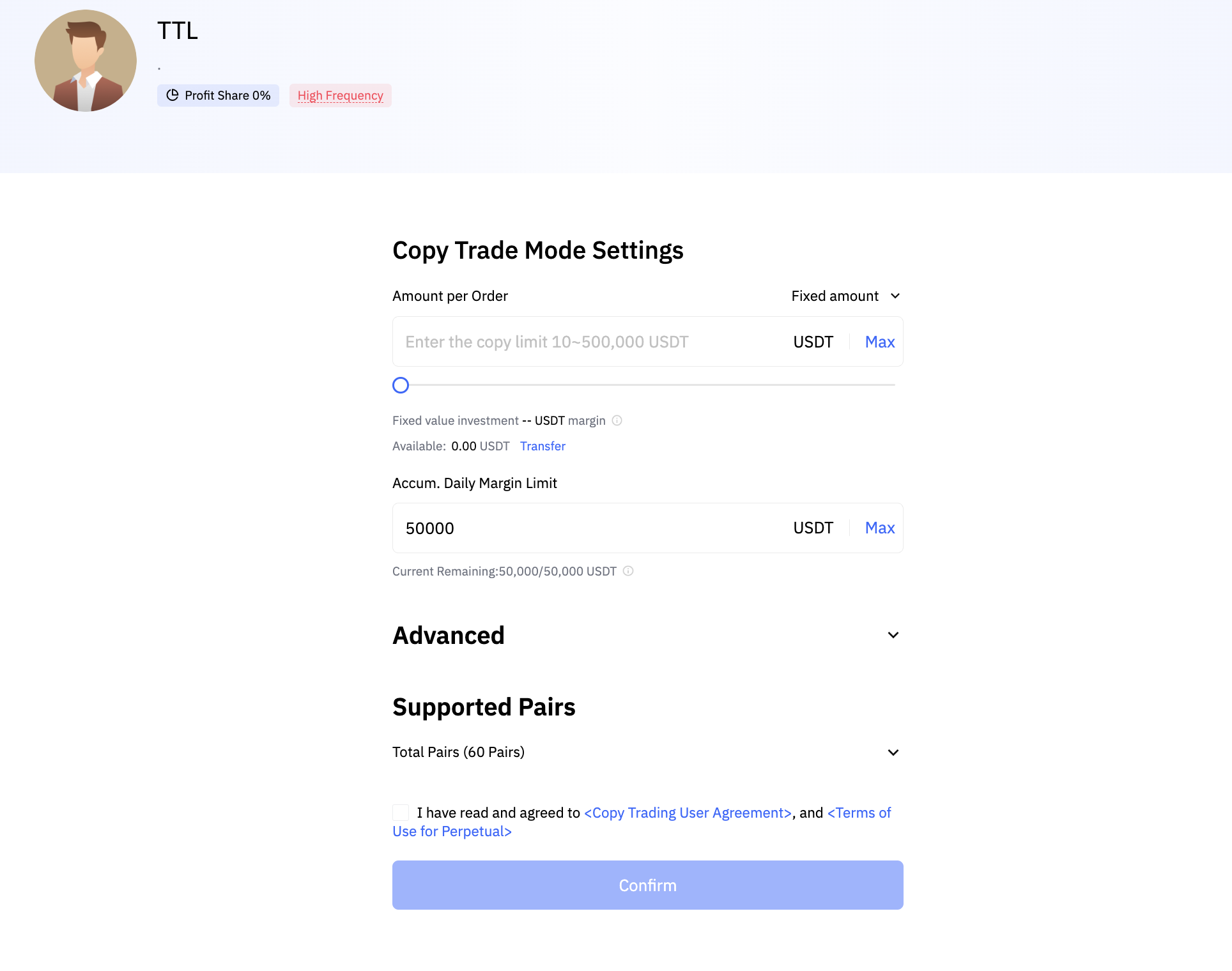
Instructions for following the order setting page:
Available per order: show the current USDT derivative account balance, convenient for you to transfer funds, in case of insufficient funds to follow the order failure
Fixed Amount (10USDT – 3000USDT): It represents the margin cost of each copy. If you set BTCUSDT to follow a fixed amount of 100USDT, when a trader opens a position, you will invest 100USDT as margin to open the position.
Magnification(0.01-100 Times): If you set BTCUSDT by 3 times, when the trader opens a position of 0.1 BTC, you will follow him by opening a position of 0.3 BTC (0.1*3).
Max daily amount (the sum total amount of the positions following with multiple traders): 100,000 USDT
If the total cont of orders followed by multiple traders in a single day reaches the upper limit, the order will no longer be followed
Leverage Mode: follow the leverage of the trader to place orders
As soon as the parameters for synchronization are set, click the Copy button, and you will follow the trader when the trader orders a contract.
3. Check the following position
You can enter from the trader’s profit Ranking “My Position” after successful order following to view the detailed data of order following position (current order following data, historical order following data and order following management).
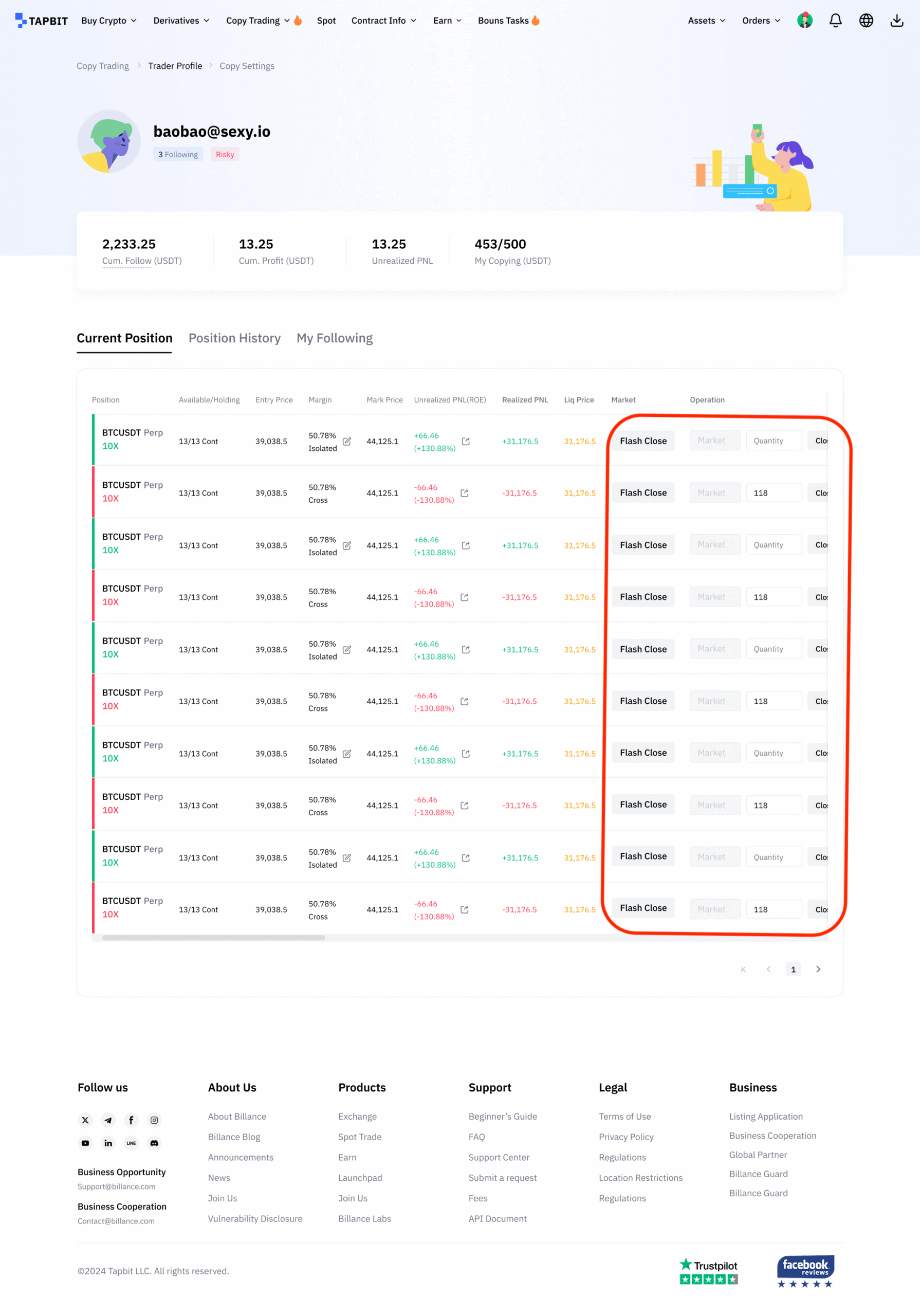
My orders page data description
Cum. Follow (USDT): The opening principal of an historical follow trades with closed position (all contracts follow orders follow total).
Cum. Profit (USDT): Realized profit and loss – fees- trader’s commission.
Unrealized PNL: The figures represent the unrealized PNL of all copy trade positions, please take it as reference only.
Current Position: View your current follow order position, when the trader closes his position, your follow order position will also be closed at the same time. You can also flash close to follow the single position or stop loss by market price.
Position History: view your historical accumulated follow order positions.
Click “My following” to view your current follow order settings with the trader, click “Edit” to follow the single to edit again or cancel to follow the trader.
* If you cancel following this trader, the trader will no longer appear in the “following” list, and the open positions that have been followed will need to be closed by yourself. The profit part still needs to be proportionally distributed to the trader.
* The modified order following parameters only take effect for new following orders, and the orders that have been successfully followed to open positions are not affected.
4. Closing positions
The follower can close the follow order position through the contract page of “My Position” for operation.
* The stop-loss and take-profit of the follow-on position only supports the market price, and the quantity cannot be modified.
* Manual closing of follow-order positions by the user currently only supports the market price of Flash Close the position, the number can not be modified.
* Both the trader and the user can adjust the margin, the trader adjusts the margin followers are not synchronized.
* The proceeds of following orders obtained on the same day will be temporarily locked in the contract account (the profit-sharing part has been excluded) and will be issued after the settlement on the second day.
Follow order failure reasons:
* The number of traders following reached the limit;
* Trader has been withdrawn;
* Derivatives account has no funds or insufficient funds;
* The single day follow margin has reached the upper limit;
* The value of the following user’s position with multiple traders exceeded the upper limit;
* Trader’s single open position has reached the upper limit.