

Before you deposit any coin, please make sure to activate the relevant deposit address and make sure to check whether the deposit function stays open for this token.
1. How to deposit coins into Tapbit?
In the upper right corner of the ‘Tapbit’ website, find the Deposit from the drop-down list within the assets section.
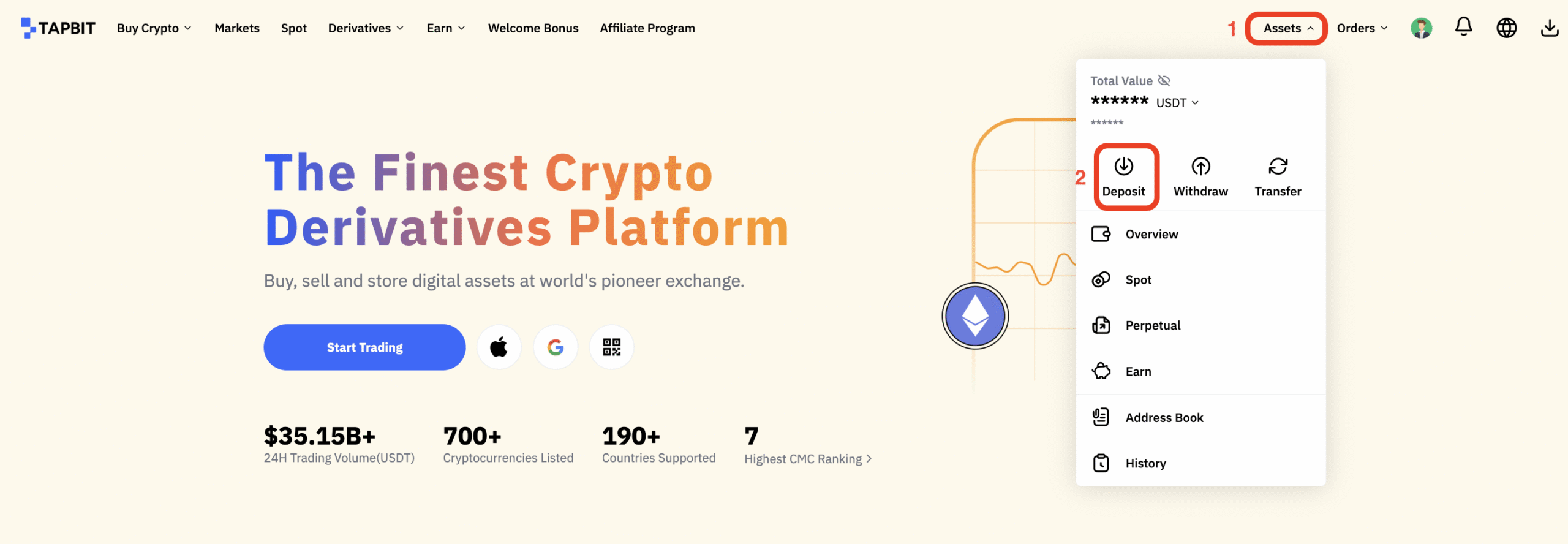
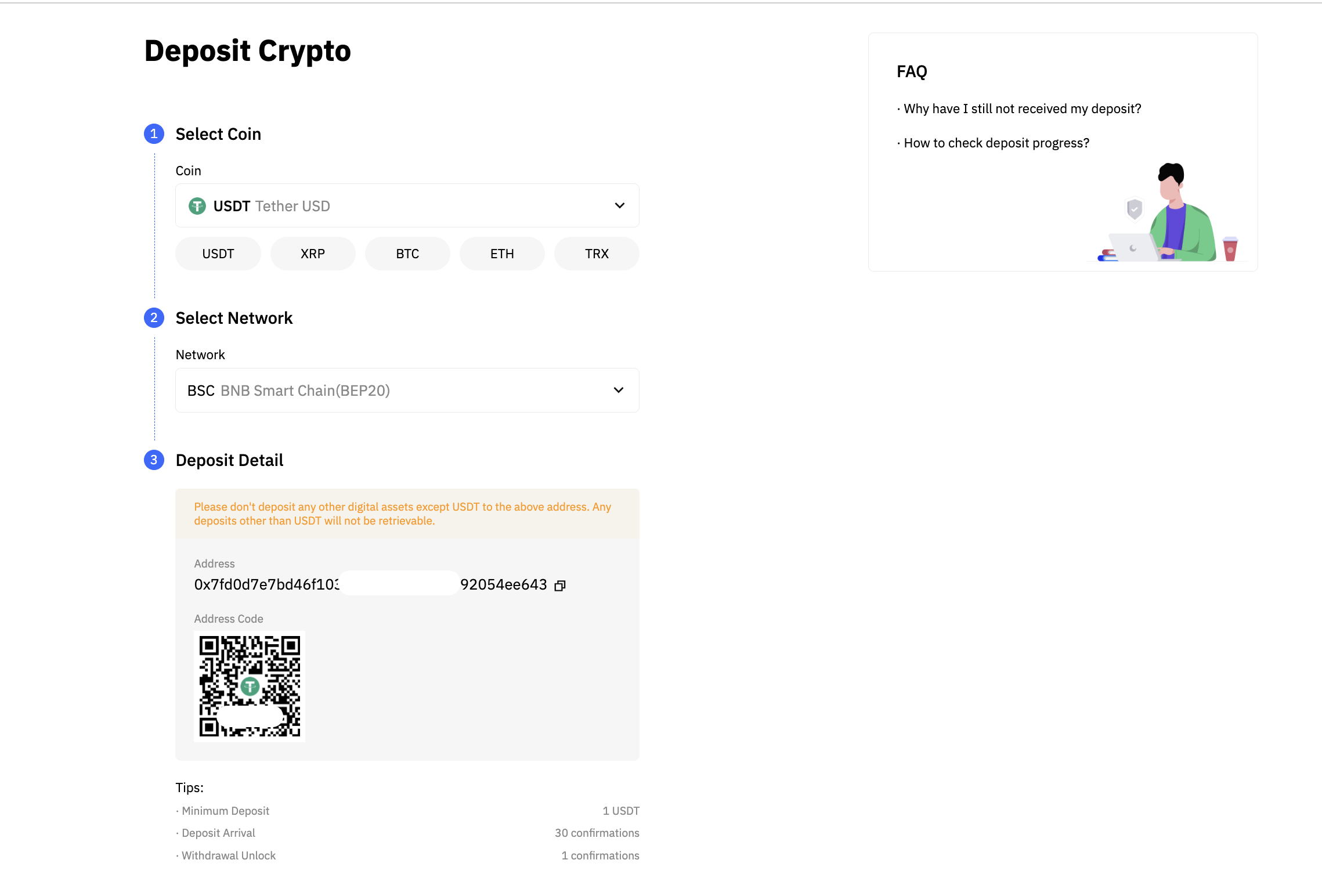
Click “Deposit”, select the coin of your choice and the account you want to deposit from the drop-down list. Following this, copy your deposit address and paste it into the withdrawal platform, and then you can deposit the correct coins to Tapbit’s relevant account.
2. How to ‘Withdraw’ coins into Tapbit?
Important Note: For the security of your account, please complete PIN and Google Authentication (2FA) setting before the first withdrawal. In the upper right-hand corner of the website, find the withdrawal from the drop-down list in the assets section.


Once having selected the correct token, you will then need to add the correct wallet address, select the relevant ‘Chain’ and enter the amount. Following this, click ‘Confirm’ to carry out the withdrawal.
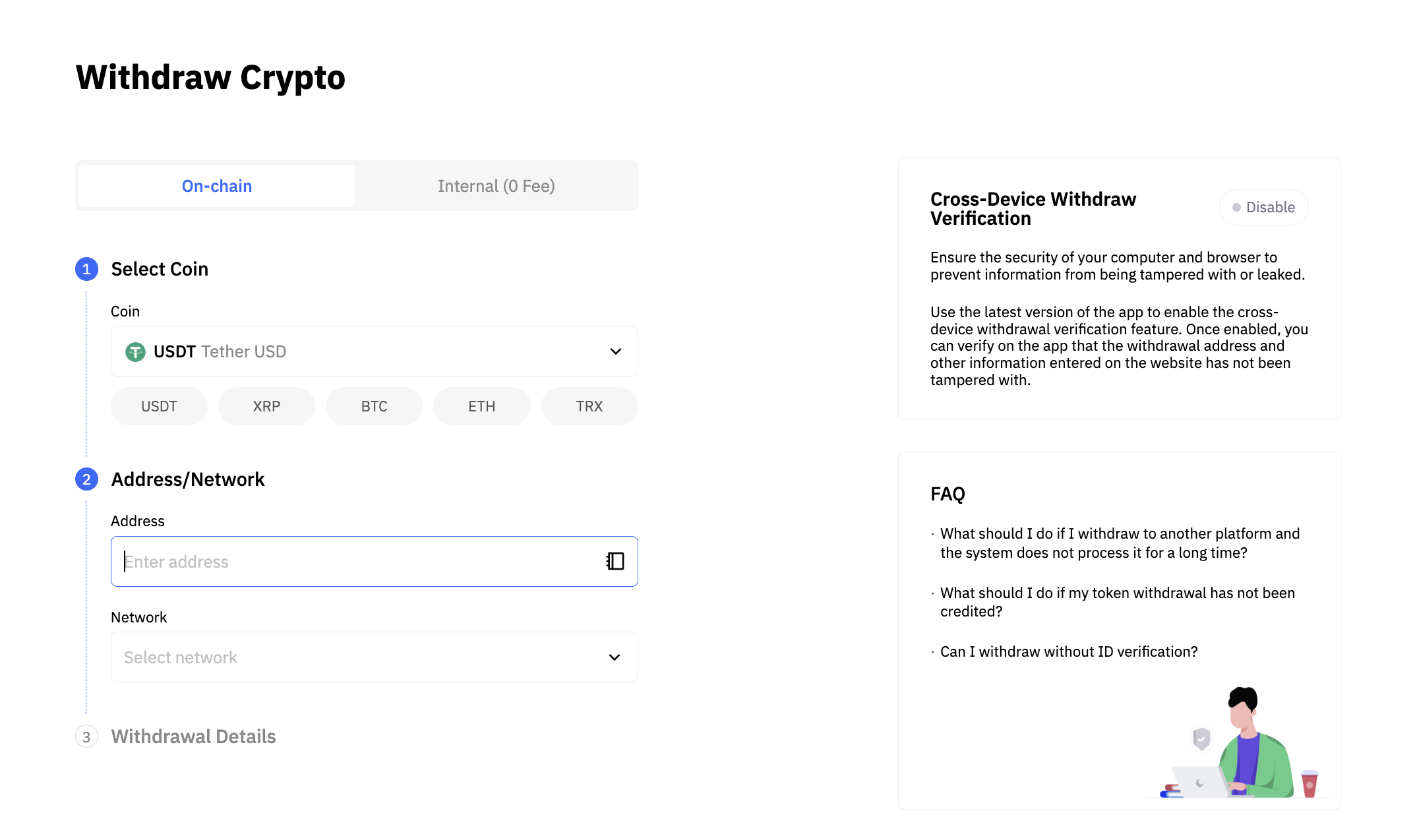
Important Note: Input your PIN-code and Email verification code, Google Authentication and SMS Authentication, then you have completed your withdrawal process.