
If you are new to the cryptocurrency market, spot trading is your starting line. Designed with user-friendliness and security in mind, Tapbit offers an intuitive platform that makes acquiring your first digital assets completely seamless.
In this Tapbit Learn guide, we will break down exactly what spot trading is and walk you through a simple, step-by-step process to execute your first trade with confidence.
What Is Spot Trading?
Spot trading is the most fundamental way to participate in the crypto market. It involves directly buying or selling a digital asset—like Bitcoin (BTC) or Ethereum (ETH)—at the current market price (the "spot price").
Unlike futures or derivatives trading, where you are trading contracts based on future prices, spot trading involves immediate settlement. When your order is filled, the purchased cryptocurrency is instantly delivered to your Tapbit wallet, granting you full and direct ownership of the asset.
The Tapbit Advantage: Spot trading on Tapbit is designed to be straightforward and highly cost-effective, featuring zero-fee trading on selected pairs. Whether your strategy is long-term investing ("HODLing") or short-term trading, spot trading is the safest entry point into the ecosystem.
How to Place Your First Spot Trade: A Step-by-Step Guide
Ready to make your first trade? Follow these simple steps to navigate the Tapbit trading interface safely and efficiently.
STEP 1: Access the Spot Trading Interface
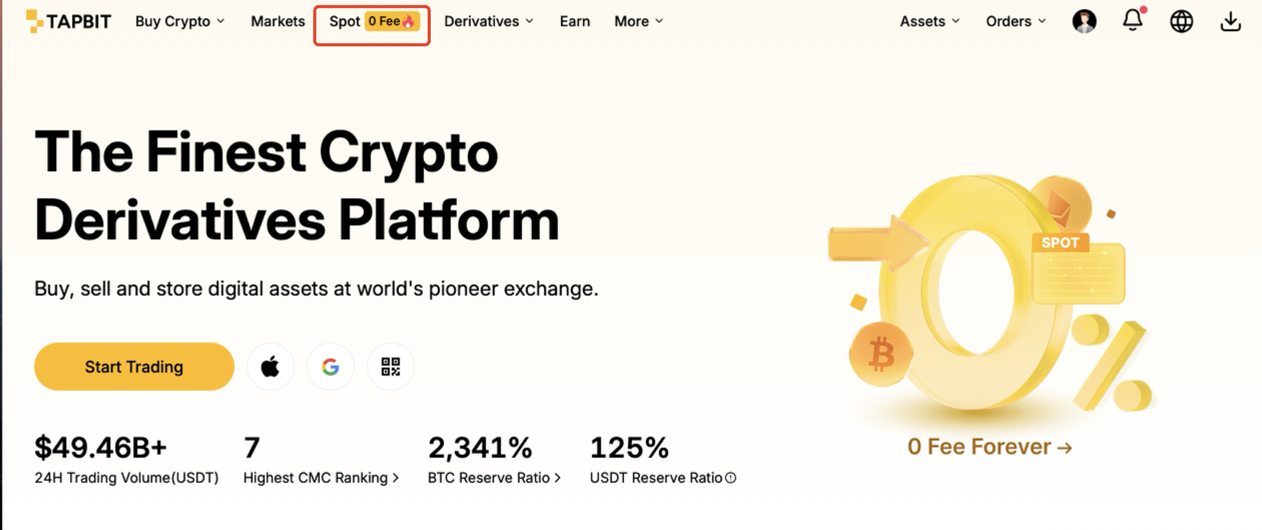
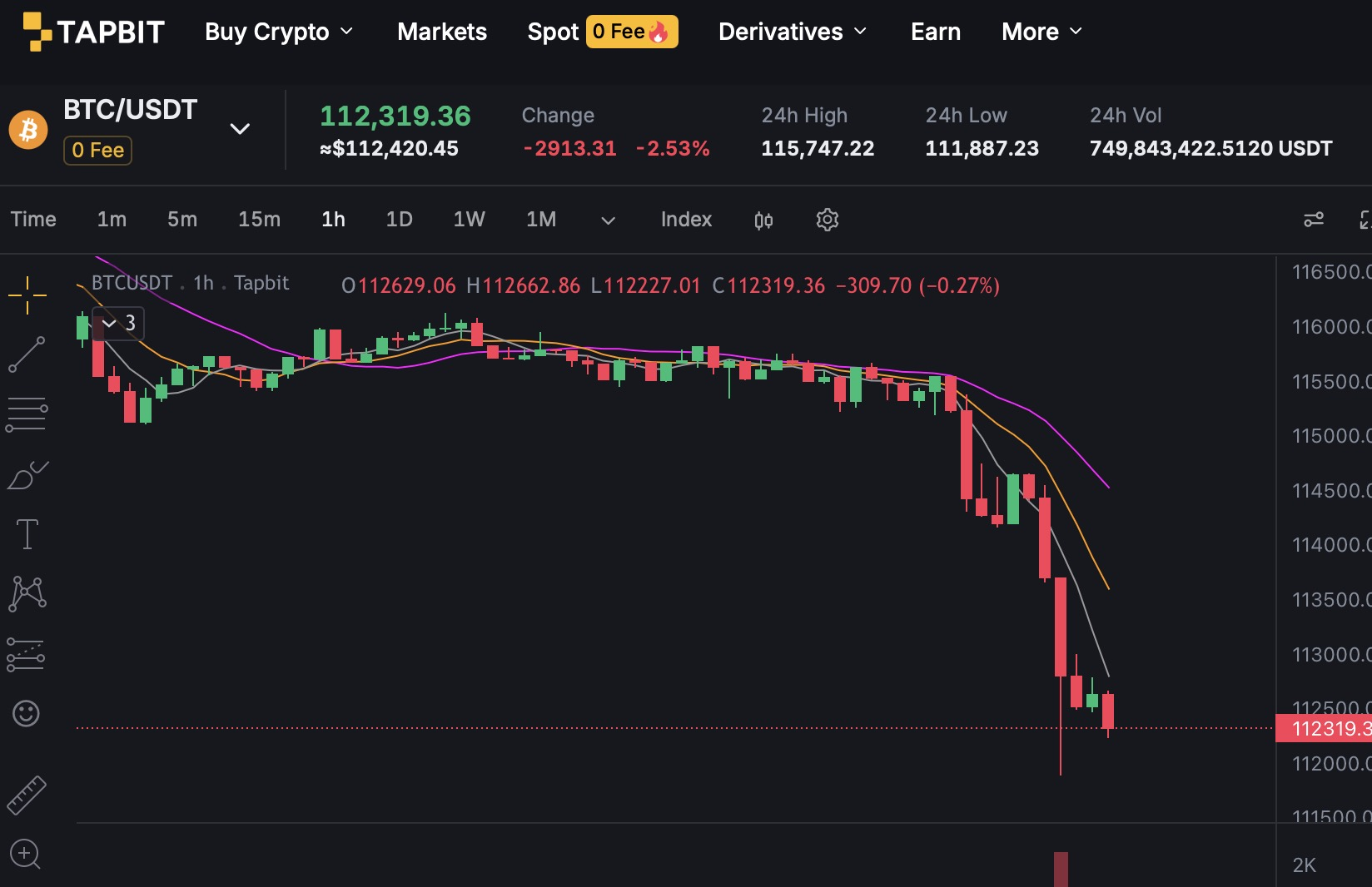
Log in to your Tapbit account. On the main navigation menu at the top of the screen, click on the Spot tab. This will direct you to the main spot trading dashboard.
STEP 2: Choose Your Trading Pair
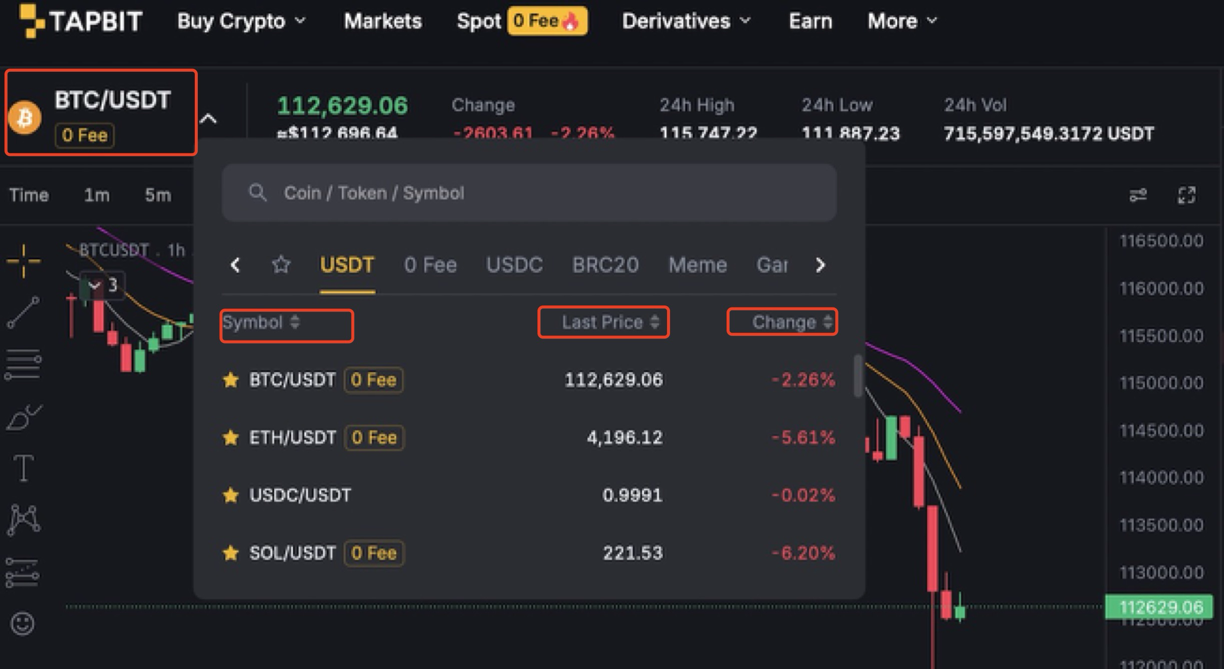
On the left side of the trading dashboard, hover over the dropdown menu next to the current trading pair (e.g., BTC/USDT).
-
You will see a list of all available Spot pairs, displaying their last traded price and 24-hour percentage change.
-
Pro Tip: Use the search bar to quickly locate your desired asset. Look out for the "0 fee" tag next to specific pairs—this indicates that you can trade that cryptocurrency without paying any transaction fees.
STEP 3: Set Up Your Order Type
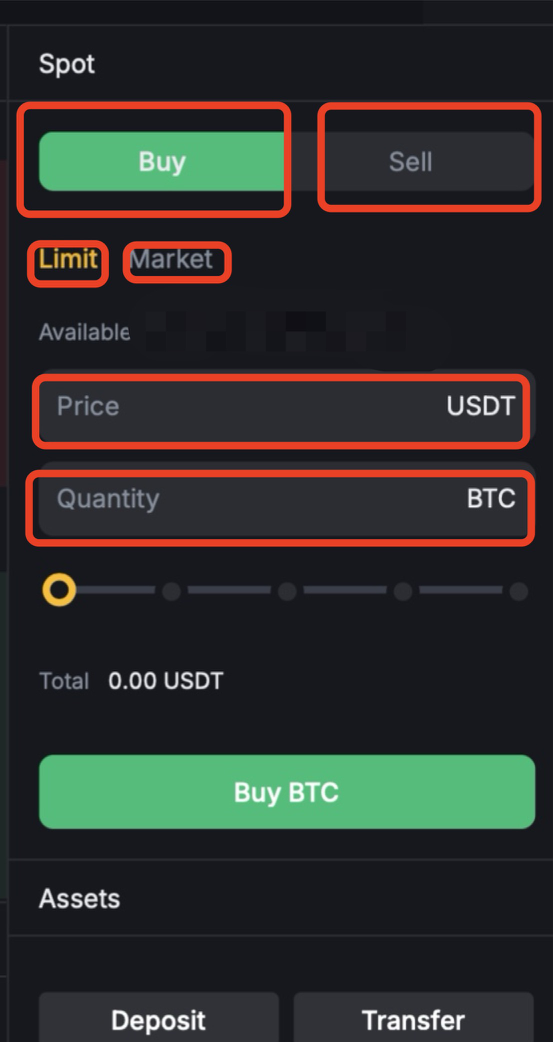
Navigate to the order entry box on the right side of your screen. You will need to choose how you want to buy or sell. The two most common options for beginners are:
-
Market Order: You want to buy or sell immediately at the best available current price. Simply enter the amount you want to spend, and the market will determine the exact price.
-
Limit Order: You want to buy or sell at a specific price. You must manually enter your target price and the quantity. The trade will only execute if the market reaches your exact set price.
STEP 4: Confirm and Execute
Once you have entered your amount and selected your order type, a confirmation window will appear. Double-check all the details—especially the price and quantity—and click the Buy or Sell button to finalize your order.
STEP 5: Monitor Your Trade
After execution, you can track your assets and open orders directly from the dashboard.
-
Scroll down to the bottom of the trading page to view your Open Orders and Order History.
-
Use the integrated charts on the center of the screen to monitor real-time price movements.
(Note: To learn how to strategize your trading using market data, we highly recommend reading The Tapbit Guide to Crypto Charting: Mastering Technical Analysis and TradingView.)
Start Your Trading Journey Today
You are now equipped with the essential knowledge to navigate the spot market! With zero-fee spot pairs, robust security safeguards, and an intuitive interface, Tapbit provides the perfect environment for your cryptocurrency journey.
If you haven't set up your account yet, register your free Tapbit account here, explore the spot markets, and execute your first trade with confidence.
Frequently Asked Questions (FAQ)
What are the fees for spot trading on Tapbit?
Tapbit offers highly competitive spot trading fees, typically starting at 0.1%. However, we frequently offer zero-fee trading events on major pairs like BTC/USDT and ETH/USDT. Always check for the "0 fee" tag next to the trading pair.
Can I lose more money than I invest in spot trading?
No. Unlike margin or futures trading, spot trading does not use leverage. The maximum amount you can lose is the exact amount you invested if the asset's value drops to zero. You will never owe the exchange money.
How long does a spot trade take to complete?
If you use a Market Order, the trade settles almost instantly. If you use a Limit Order, the trade will only execute when the market price reaches the specific price you set, which could take minutes, days, or never happen at all depending on market conditions.


