
Before you can execute your first trade on the Tapbit Exchange, you need to fund your account. Whether you are a veteran trader moving stablecoins from a cold wallet or a newcomer looking to make your first Bitcoin purchase using a credit card, the process needs to be secure and efficient.
A single mistake during a blockchain transfer—such as selecting the wrong network—can result in the permanent loss of funds. To ensure your capital arrives safely, we have outlined the exact steps you need to follow for both crypto deposits and direct fiat purchases.
Method 1: Depositing Existing Cryptocurrency
If you already hold digital assets on another exchange or in a private wallet (like MetaMask or Trust Wallet), transferring them to Tapbit is the most direct way to start trading. Tapbit does not charge any deposit fees for incoming crypto transfers.
Step 1: Access the Deposit Portal
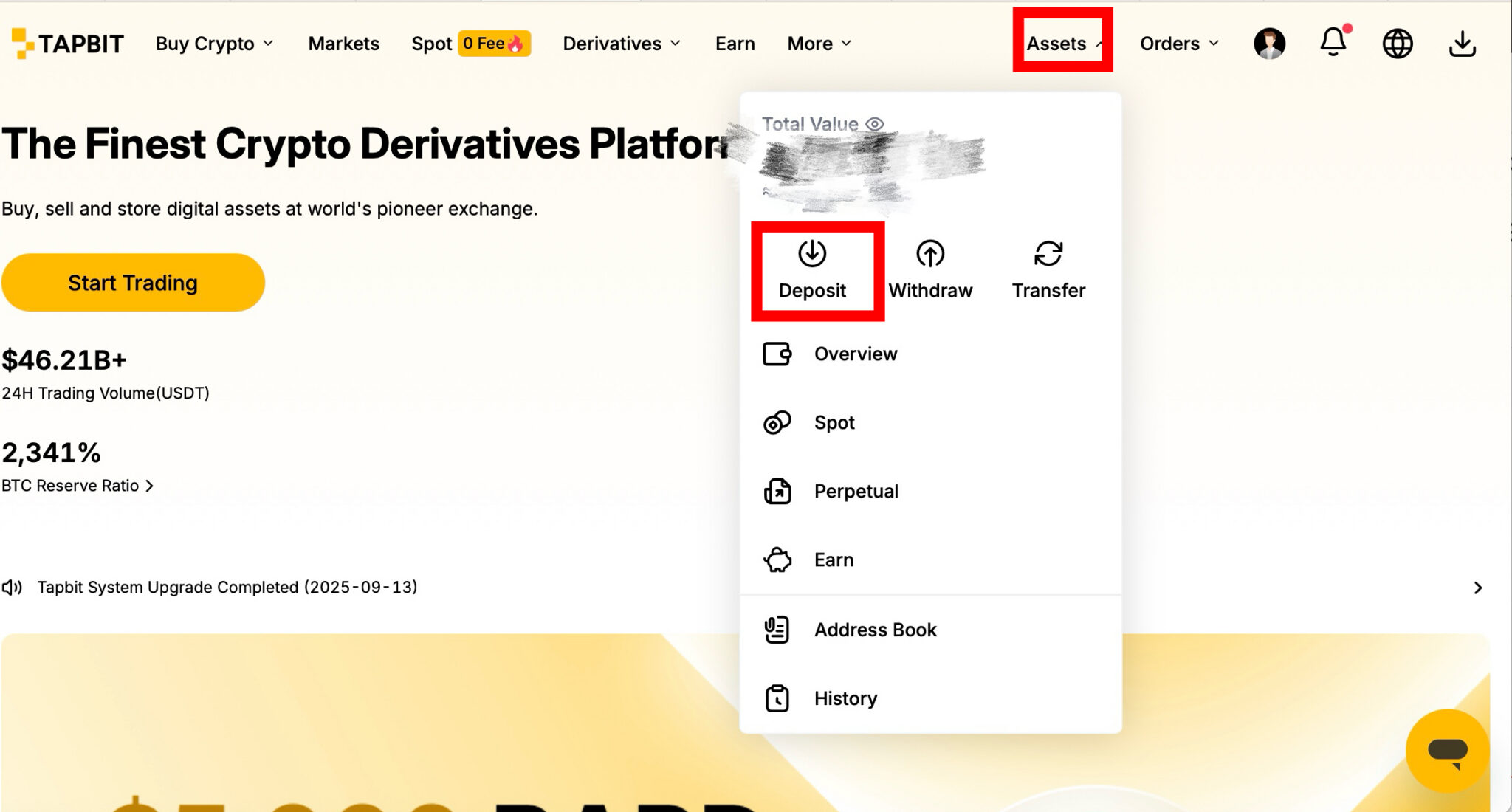
Log in to your Tapbit account on your desktop or mobile app. In the top right corner of the main dashboard, hover over the [Assets] tab, and select [Deposit] from the dropdown menu.
Step 2: Select Your Asset
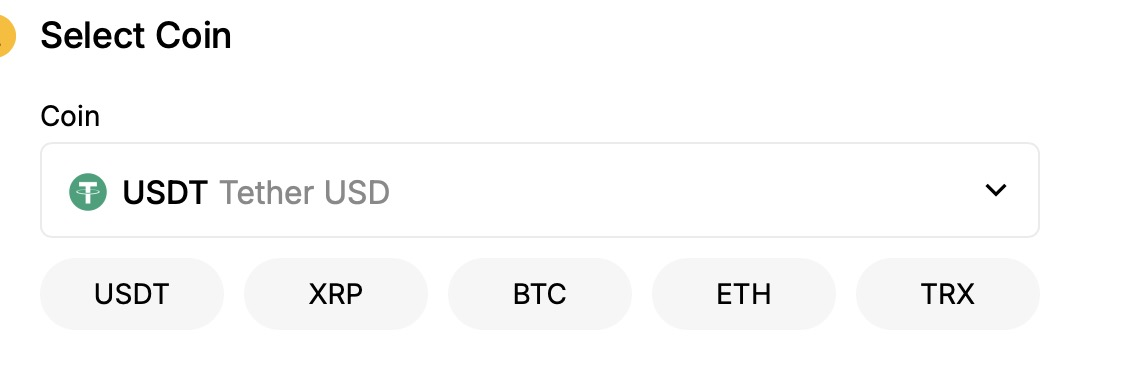
Use the search bar to locate the specific cryptocurrency you want to transfer (e.g., USDT, BTC, ETH).
Step 3: Choose the Correct Blockchain Network (Crucial Step)
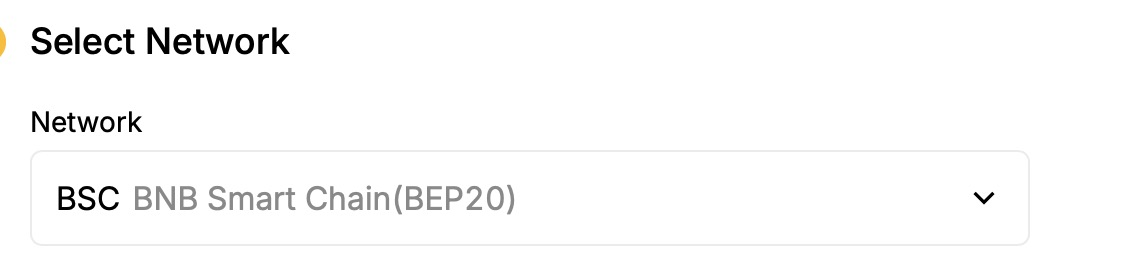
This is the most critical security step in the entire process. You must select the exact blockchain network that matches the network you are sending from.
-
Security Warning: If you are sending USDT from another exchange via the Arbitrum network, you must select ARB on Tapbit. If you mistakenly select ERC20 or TRC20, your funds will be lost on the blockchain and cannot be recovered by our team.
Step 4: Copy the Address and Transfer
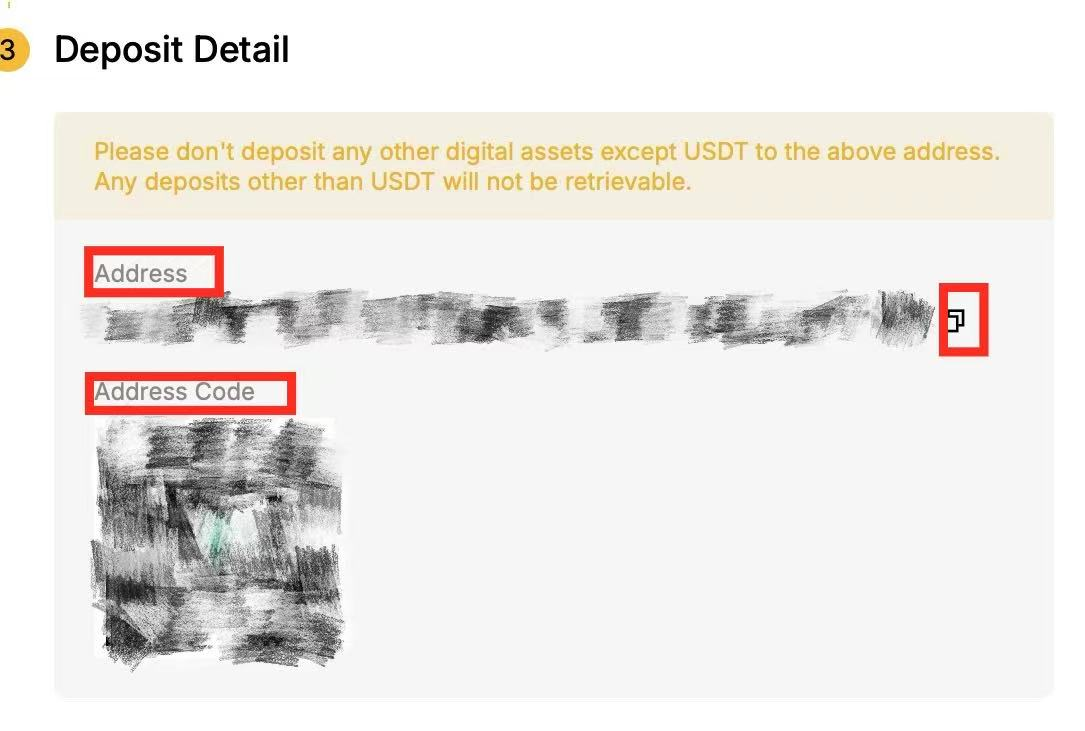
Once the asset and network are confirmed, Tapbit will generate a unique deposit address and a corresponding QR code for your account. Copy this alphanumeric address and paste it into the "Withdraw" or "Send" field of your external wallet.
Always verify the first four and last four characters of the address before confirming the transaction on your external wallet. Depending on network congestion, your funds will appear in your Tapbit asset after the required number of block confirmations.
Method 2: Purchasing Crypto with Fiat Currency
If you do not currently own any cryptocurrency, you can buy it directly through Tapbit using your local fiat currency via our secure third-party payment gateways.
-
Supported Assets for Fiat Purchase: You can currently purchase BTC, ETH, USDT, USDC, and DAI directly with fiat. (Want to see current market rates before buying? Check our live Crypto Prices page).
-
Supported Fiat Currencies: Tapbit’s gateways support over 40 global currencies, including but not limited to: USD, EUR, GBP, JPY, AUD, CAD, CHF, SGD, HKD, AED, INR, BRL, MXN, and ZAR.
Step 1: Locate the Fiat Gateway
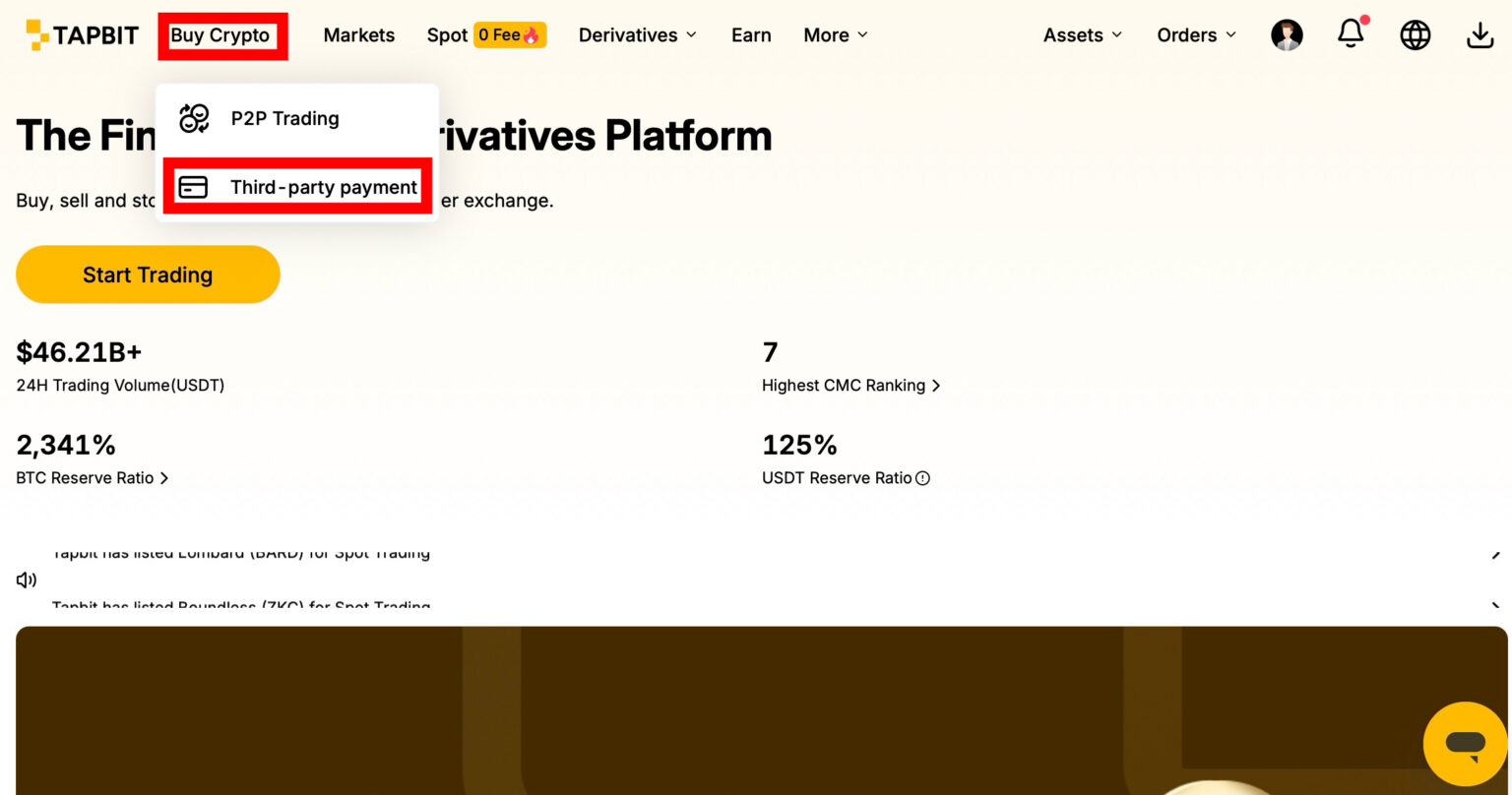
On the Tapbit homepage navigation bar, click on [Buy Crypto] and select [Third-Party Payment].
Step 2: Input Your Order Details
In the order widget, enter the amount of fiat currency you want to spend and select the cryptocurrency you wish to receive. The system will automatically display the minimum and maximum purchase limits for your selected currency directly within the input box.

Step 3: Select a Payment Provider
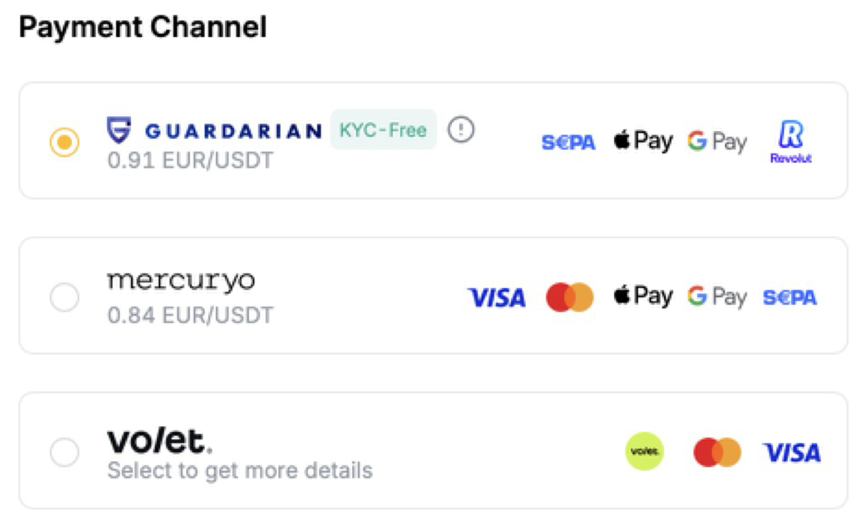
Tapbit aggregates several trusted, regulated fiat-to-crypto providers, including Guardarian, Mercuryo, Volet, and standard Mastercard/Visa processors.
-
The interface will display real-time quotes from each provider.
-
Review the estimated processing time and the conversion rate.
-
Note on Fees: Tapbit itself does not charge any fees for these transactions. However, the third-party provider and your bank/credit card issuer will apply their own processing fees and spreads, which are already built into the final quote you see on the screen.
Step 4: Complete the Transaction
Select the provider offering the best rate and click continue. You will be briefly redirected to the provider's secure portal to enter your payment details. Once the payment clears, the newly purchased crypto will be deposited directly into your Tapbit account, ready for trading.
Frequently Asked Questions (FAQ)
Does Tapbit charge a fee for depositing crypto?
No. Tapbit charges absolutely zero fees for crypto deposits. However, please note that you will still need to pay the standard network "gas" fee on the platform or wallet from which you are sending the funds.
What happens if I send crypto to the wrong network?
Blockchain transactions are immutable. If you send Ethereum via the ERC20 network but select the BSC network address on Tapbit, the funds will not arrive in your account and will likely be permanently lost. Always double-check that the sending network and receiving network match exactly.
How long does it take for a fiat purchase to show up in my account?
This depends entirely on the payment method and the third-party provider you select. Credit card and debit card purchases (via providers like Mercuryo or Guardarian) typically process within 10 to 30 minutes. Bank transfers may take 1 to 3 business days depending on your local banking system.


