

If you've seen the term "BNBScan" in a project's Telegram group, on a withdrawal confirmation page, or in a DeFi tutorial, you're not alone in wondering what it actually refers to. The name is used loosely across the crypto space and doesn't always point to the same tool. This guide clears up the naming confusion first, then walks through what the underlying technology does and how to use it practically — whether you're verifying a transfer, vetting a new token, or monitoring a wallet on the BNB Smart Chain.
BNBScan vs BscScan: Are They the Same Thing?
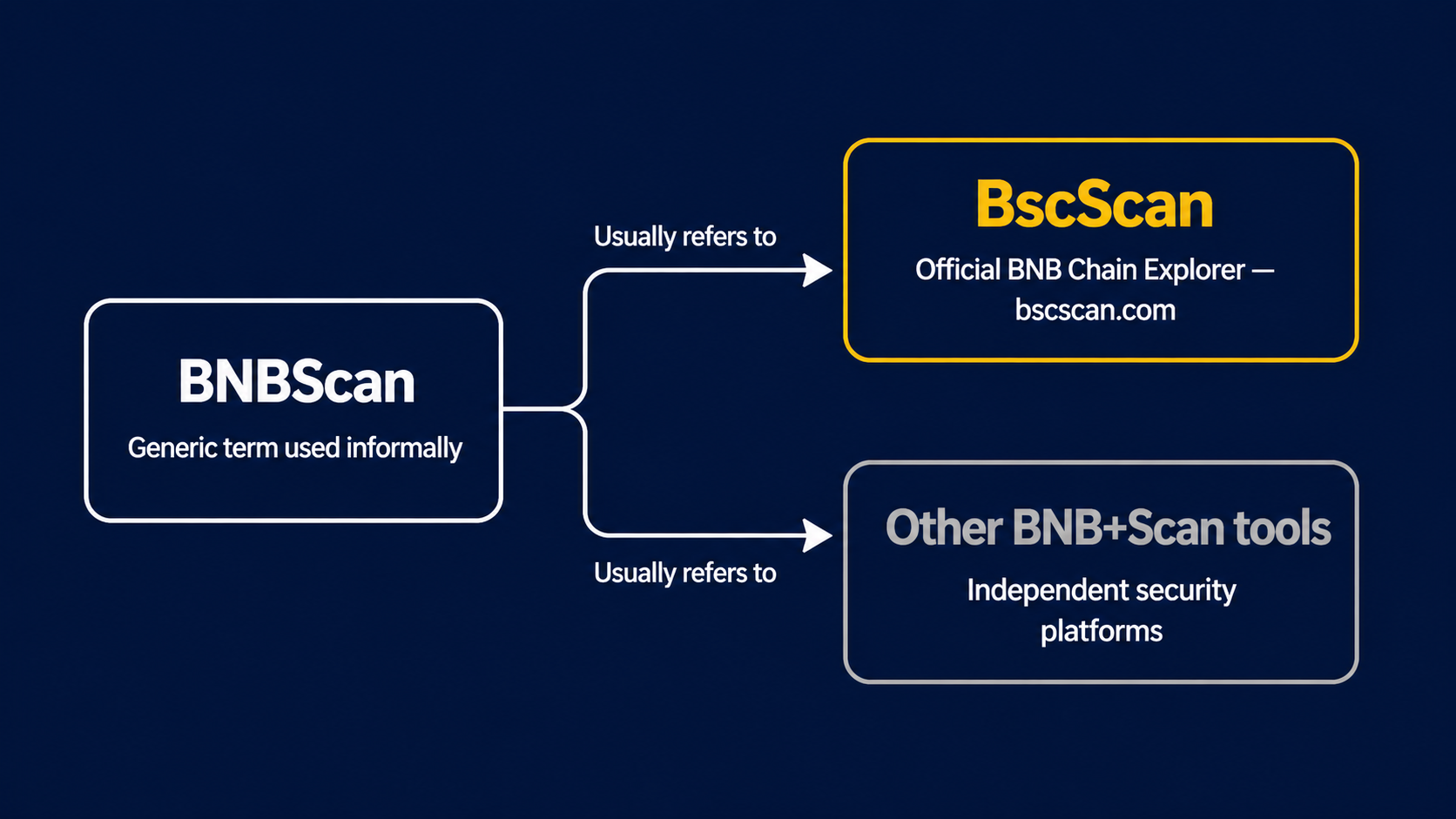
The short answer: usually yes, but the distinction is worth understanding.
"BNBScan" is a descriptive label combining "BNB" (the native token of BNB Chain) with "scan" (referring to blockchain scanning). Multiple platforms have adopted variations of this naming pattern. The dominant and most widely used tool is BscScan at bscscan.com — developed by the Etherscan team and recognized as the de facto standard explorer for the BNB Smart Chain ecosystem. When someone says "check it on BNBScan," they are almost always referring to BscScan.
Separately, at least one independent platform uses "BNB + Scan" branding to offer smart contract security analysis — a narrower, purpose-built tool distinct from a full block explorer. These serve different use cases and should not be confused.
|
Term |
What It Refers To |
URL |
|
BNBScan (generic label) |
Any BNB Chain block explorer tool |
— |
|
BscScan (official tool) |
Standard BNB Chain explorer by the Etherscan team |
bscscan.com |
|
Other "BNBScan" tools |
Independent third-party security scan platforms |
Separate domains |
Everything that follows in this article is based on BscScan — the official, most widely used tool.
What BscScan Does — And How It Compares to Etherscan
BscScan works by running full nodes that continuously download and validate BNB Chain blocks, then indexing that raw data into a searchable, human-readable interface. The result is a public dashboard where anyone can inspect any address, transaction, or contract on the BNB Smart Chain without creating an account.
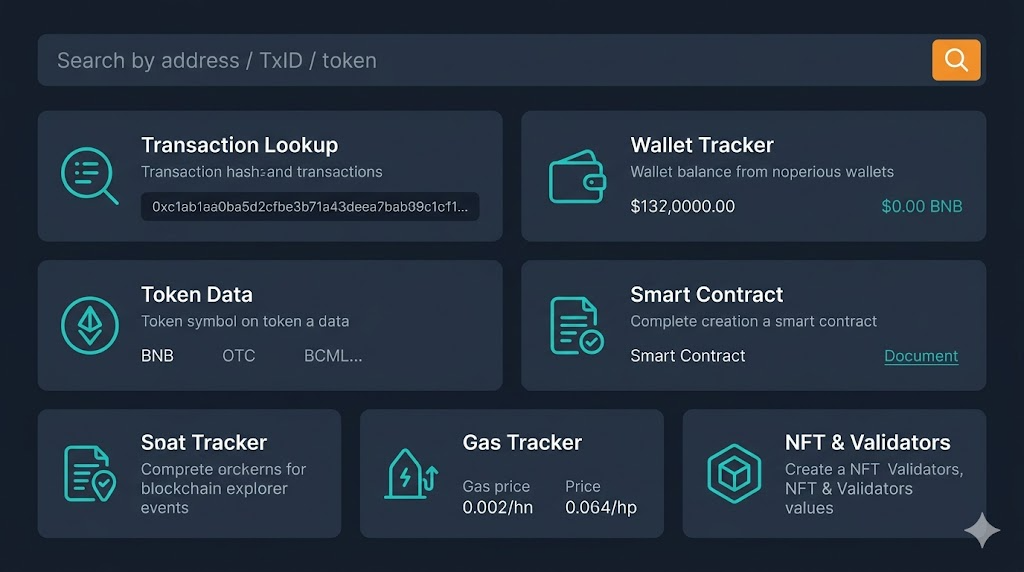
Its core capabilities cover six areas:
|
Feature |
What You Can Do |
|
Transaction lookup |
Paste a TxID (e.g., a 0x... 66-character hash) to see status, sender, receiver, fee, and timestamp |
|
Wallet tracking |
Enter any address to view BNB balance, token holdings, and full transaction history |
|
Token data |
Check contract address, holder distribution, and transfer records |
|
Smart contract verification |
Confirm whether contract source code is publicly auditable |
|
Gas Tracker |
View real-time BNB Chain gas prices to time transactions cost-effectively |
|
NFT & validator data |
Track BEP-721 assets and monitor network node health |
Since BscScan and Etherscan share the same development team, their interfaces are nearly identical. The practical differences are network-specific:
|
BscScan |
Etherscan |
|
|
Network |
BNB Smart Chain |
Ethereum |
|
Token standard |
BEP-20 / BEP-721 |
ERC-20 / ERC-721 |
|
Typical gas fees |
Very low — often under $0.01 per transaction |
Variable; can spike significantly during congestion |
|
Throughput |
Up to ~100 TPS (BNB Chain docs) |
Comparatively lower |
If you already use Etherscan for Ethereum activity, BscScan will feel immediately familiar. The core difference is simply which blockchain's data it reads.
How to Use BscScan: Three Core Workflows
Step 1:Tracking a transaction
Copy the TxID from your wallet or exchange withdrawal record — it's a 66-character string starting with "0x". Paste it into the BscScan search bar. The result page shows transaction status (Success / Pending / Failed), sending and receiving addresses, the amount transferred, the gas fee paid in BNB, and the exact timestamp. A Pending status usually means a low gas setting caused a queue delay, not a failure.
Step 2:Checking a wallet address
Enter any BNB Chain address to see its BNB balance, all BEP-20 token holdings, and a chronological list of every inbound and outbound transaction. This is useful both for confirming a deposit arrived and for monitoring large wallets — project treasuries or known whale addresses — whose movements can signal market activity before it appears on live price charts.
Step 3:Verifying a smart contract
Search the contract address and open the "Contract" tab. A green checkmark means the contract is Verified: its source code is published and matches what's deployed on-chain. An unverified contract is a significant risk signal. Verified contracts also allow you to read and interact with their functions directly from BscScan — useful when a dApp's front end goes offline but the underlying contract is still live.
Five Checks Before Buying Any BEP-20 Token
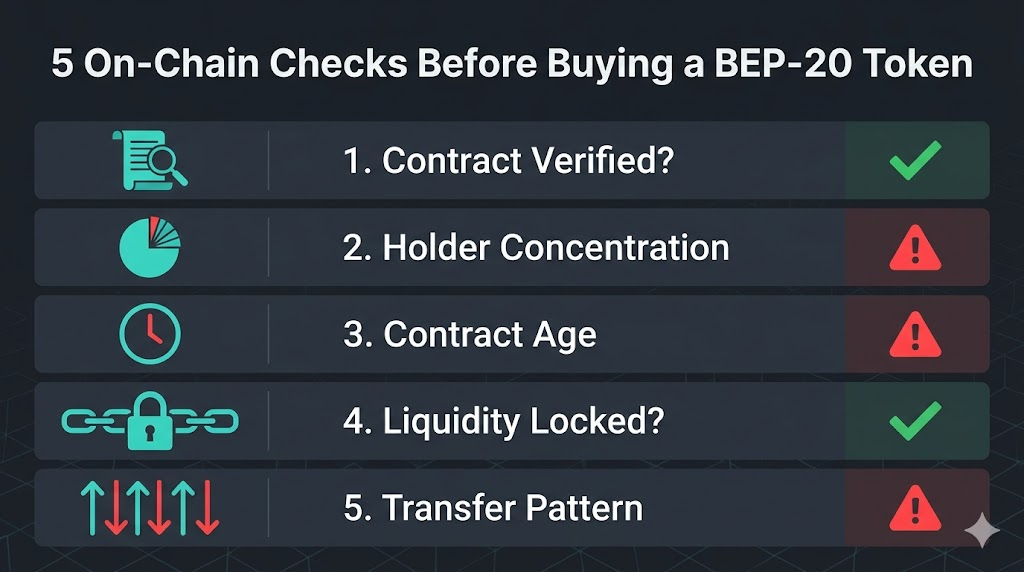
BNB Chain allows anyone to deploy a token with minimal friction, which makes on-chain due diligence more important, not less. BscScan provides the data to run five quick checks before committing capital to an unfamiliar asset.
|
Check |
Where to Look on BscScan |
Red Flag |
|
Contract verified? |
Contract tab — look for green ✓ |
No verification mark present |
|
Top holder concentration |
Token page → Holders tab |
A single address holds more than 50% of supply |
|
Contract age |
First transaction in the transfer history |
Deployed less than 24–48 hours ago |
|
Liquidity lock status |
LP token contract → Holder distribution |
LP tokens held by the deployer address (not a locker contract) |
|
Transfer pattern |
Recent Transfers tab |
Dozens of identical micro-transfers suggesting artificial volume |
None of these checks guarantees safety in isolation, but each filters out a different category of known scam structure. A token that passes all five represents meaningfully lower risk than one that fails two or three. For verified projects already listed on an established exchange, these checks serve as a useful secondary confirmation rather than a primary gatekeeping step.
Verifying a Tapbit Withdrawal on BscScan — and Staying Secure
When you withdraw BNB or a BEP-20 token from Tapbit, the platform generates a transaction hash (TxID) once the transfer is broadcast to BNB Chain. Here's how to confirm the status directly on-chain if your funds haven't arrived within the expected window:
-
Open your Tapbit withdrawal history and copy the TxID for the transaction in question
-
Open bscscan.com and paste the TxID into the search bar
-
Confirm the "To" address matches your destination wallet and that "Status" reads Success
-
If the status is Pending, the network is still processing — this typically resolves within minutes; if it remains stuck, contact Tapbit support with the TxID
On the security side, one principle covers most risks: legitimate block explorers only read public blockchain data and never ask for your private key, seed phrase, or wallet connection to display information. Any page claiming to be BscScan that requests these inputs is a phishing site. Navigate to bscscan.com by typing the URL directly, and cross-check any contract address against the project's official website or verified social channels before using it.
Tapbit's proof of reserves page provides on-chain verification of platform assets — another layer of transparency you can cross-reference with BscScan data when reviewing large outflows.
FAQ
Is BNBScan the same as BscScan? In everyday usage, yes. "BNBScan" is an informal label used to describe BNB Chain block explorers, while "BscScan" is the official name of the specific tool at bscscan.com, developed by the Etherscan team. Some independent platforms also use "BNB + Scan" branding for different purposes, so always confirm you're on the correct domain.
Can BscScan track BEP-2 tokens as well as BEP-20? No. BscScan covers the BNB Smart Chain (BSC), which uses the BEP-20 standard. BEP-2 tokens operate on the older BNB Beacon Chain and require a separate explorer. If you're unsure which network your token is on, check the withdrawal network selector in your exchange account.
What does "gas used" mean on a BscScan transaction page? Gas Used is the amount of computational work required to process your transaction, measured in gas units. The fee equals Gas Used × Gas Price (in Gwei). BNB Chain gas fees are generally very low — often under $0.01 per transaction — making on-chain activity significantly cheaper than on Ethereum.
Can I interact with a smart contract directly through BscScan? Yes, for verified contracts. Open the Contract tab, select "Write Contract," and connect a compatible wallet (such as MetaMask configured for BNB Smart Chain) to sign transactions. This is particularly useful when a dApp's website is unavailable but the underlying contract remains operational on-chain.
Does BscScan require an account to use? No. All core features — transaction lookup, wallet inspection, contract verification, Gas Tracker — are available without registration. Creating an account unlocks additional features like custom address watchlists, private notes, and API key generation for developers.
How do I find the contract address of a token I already hold? Search your wallet address on BscScan and open the Token Holdings section. Click on the token you want to inspect — the detail page displays its official contract address. Always verify this address against the project's official website or documentation before using it elsewhere to avoid copy-paste phishing attacks.
References
-
BscScan official documentation — platform features and terminology
-
BNB Chain official blog: What Is BscScan and How Do You Use It? — BNB Chain, March 2024
-
BNB Smart Chain network throughput data — BNB Chain developer docs, 2024


